Table of Contents
The average gamer spends 8-10 hours per week in front of their screen, with many competitive players and streamers logging double or triple that amount. That marathon session energy might fuel your climb up the leaderboards, but it’s silently wreaking havoc on your posture, circulation, and long-term health. Enter the standing desk revolution—once reserved for corporate wellness programs, these adjustable workstations have become the ultimate power-up for serious gamers who understand that physical ergonomics directly translates to in-game performance. This year, the technology has matured beyond simple up-and-down mechanisms into sophisticated gaming command centers that adapt to your playstyle, support insane weight loads, and integrate seamlessly with your RGB ecosystem.
But not all standing desks are created equal, and gamers have unique requirements that go far beyond what typical office workers need. You’re not just supporting a laptop and a coffee mug—you’re building a battle station that might house multiple monitors, a full-tower PC, streaming equipment, elaborate cable management, and enough peripherals to make a IT department jealous. Understanding what separates a mediocre adjustable desk from a true gaming throne requires diving deep into stability ratings, motor torque specifications, surface materials, and ergonomic principles that can give you a competitive edge.
Top 10 Standing Desks For Gamers
Detailed Product Reviews
1. OffiGo Gaming Standing Desk with LED Light, 55 Inch Electric Height Adjustable Table with Power Outlet & Monitor Stand, Sit Stand Computer Workstation for Home, Bedroom, Black
 Electric Height Adjustable Table with Power Outlet & Monitor Stand, Sit Stand Computer Workstation for Home, Bedroom, Black](https://m.media-amazon.com/images/I/51UO8+afyZL._SL160_.jpg)
Overview:
The OffiGo Gaming Standing Desk delivers a 55-inch electric height-adjustable workstation tailored for gamers and home office users. It combines ergonomic flexibility with gaming-centric features like customizable LED lighting, integrated power outlets, and a dedicated monitor stand. The desk transitions smoothly between sitting and standing positions while offering three programmable memory presets for instant height adjustments.
What Makes It Stand Out:
This desk distinguishes itself through practical gaming integrations. The LED strip offers 10 static colors and 10 dynamic modes to create ambient lighting. The built-in power solution includes three AC outlets and two USB ports, eliminating the need for separate power strips. The monitor stand provides open storage underneath while incorporating holders for tablets and books. Additional conveniences like headphone hooks and cup holders demonstrate thoughtful design for extended gaming sessions.
Value for Money:
Positioned in the mid-range segment, this desk justifies its price by bundling features that would cost significantly more if purchased separately. The integrated power management alone saves $30-50 on accessories, while the LED system and monitor stand add considerable value. Compared to basic standing desks, the gaming-focused extras make it a cost-effective choice for users wanting an all-in-one solution without premium pricing.
Strengths and Weaknesses:
Strengths include the spacious 55-inch surface, comprehensive power integration, immersive LED lighting, ergonomic monitor stand with bonus storage, and included organizational accessories. Weaknesses involve relatively basic LED customization compared to high-end competitors, limited advanced cable management features, and the monitor stand potentially restricting monitor size or mounting flexibility.
Bottom Line:
The OffiGo desk excels for gamers seeking integrated features and ergonomic comfort. It successfully balances functionality, aesthetics, and value, making it a smart investment for home offices and gaming setups where convenience matters.
2. Gaming Standing Desk with LED Lights & Host Shelf, 55" x 24" Gaming Table with Music Sensing APP Control, Underdesk Cable Storage Electric Standing Desk, Black Carbon Fiber PC Table for Home Office
 Desk, Black Carbon Fiber PC Table for Home Office](https://m.media-amazon.com/images/I/51rmHcnQAlL._SL160_.jpg)
Overview:
This 55-inch gaming desk targets serious gamers with advanced LED capabilities and sophisticated cable management. The electric height-adjustable frame ranges from 28.3 to 47.2 inches, accommodating both seated gameplay and standing streaming sessions. Its underdesk cable management system and enclosed host shelf set it apart from conventional gaming desks.
What Makes It Stand Out:
The LED system is remarkably advanced, featuring 7 RGB colors, 210 dynamic modes, and 255 voice-activated modes that sync with music. Both remote and app control provide seamless customization. The underdesk management design includes a tray for routers and plugs plus magnetic cable slots, while the host shelf moves with the desk during height adjustments. The carbon fiber surface reduces arm friction for smoother gaming operations.
Value for Money:
While priced higher than basic models, the premium features justify the cost. The sophisticated LED system rivals standalone smart lighting setups costing $100+, and the integrated cable management eliminates the need for aftermarket solutions. The host shelf is a unique addition that protects your PC while maintaining accessibility. For streamers and dedicated gamers, the immersive features deliver strong ROI.
Strengths and Weaknesses:
Strengths include exceptional LED customization with music sync, superior cable management system, enclosed host shelf, quiet motor operation (≤50dB), carbon fiber surface comfort, and sturdy construction supporting 176 lbs dynamic load. Weaknesses include potentially overwhelming LED options for non-gamers, larger footprint due to host shelf, and higher price point that may exceed casual user budgets.
Bottom Line:
Ideal for dedicated gamers and content creators wanting maximum immersion and organization. The advanced lighting and cable management make it a premium choice worth the investment for serious setups.
3. ErGear Height Adjustable Electric Standing Desk, 47.2 x 23.6 Inches Sit Stand up Desk, Memory Computer Home Office Desk (Black)
, 47.2 x 23.6 Inches Sit Stand up Desk, Memory Computer Home Office Desk (Black)](https://m.media-amazon.com/images/I/41EwuaYs33L._SL160_.jpg)
Overview:
The ErGear electric standing desk prioritizes core functionality over flashy extras, delivering a reliable 47.2 x 23.6-inch workstation focused on stability and smooth operation. With height adjustment from 28.35 to 46.67 inches and three programmable memory settings, it serves as a straightforward solution for home offices seeking ergonomic benefits without gaming aesthetics.
What Makes It Stand Out:
This desk’s standout feature is its exceptional stability, achieved through a solid steel frame with aerospace-grade lifting column connectors tested over 100,000 cycles. The motor has been tested 50,021 times, demonstrating remarkable durability. Additionally, the low-VOC materials meet strict US federal and state air quality standards, making it an environmentally conscious choice for health-focused users.
Value for Money:
As a budget-friendly option, this desk offers tremendous value by focusing resources on mechanical reliability rather than cosmetic features. Users get commercial-grade stability and motor performance at a fraction of premium brand prices. While it lacks integrated power or lighting, the cost savings allow purchasing separate accessories tailored to specific needs, potentially offering better overall value than bundled alternatives.
Strengths and Weaknesses:
Strengths include outstanding stability at full height, proven motor longevity, smooth height transitions, compact footprint suitable for smaller spaces, and environmentally safe materials. Weaknesses involve no integrated power outlets, absence of cable management features, lack of LED lighting or gaming aesthetics, and smaller surface area limiting multi-monitor setups.
Bottom Line:
Perfect for professionals and students wanting a dependable, no-frills standing desk. It sacrifices flash for substance, delivering reliable performance that prioritizes ergonomic health and long-term durability over gaming features.
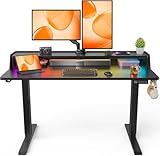
4. ErGear Standing Desk with LED Strip, 48″ x24″ Electric Height Adjustable RGB Gaming Desk with Shelf, Sit Stand Desk with Dual Cable Holes, C-Clamp Mount Compatible, 4 Preset Heights, Black
Overview:
This 48-inch electric standing desk bridges office functionality with gaming flair, featuring customizable RGB lighting and practical organization features. Height adjusts from 27.9 to 46.8 inches, while the raised shelf and cable grommets promote ergonomic screen positioning and tidy cable routing. It targets users wanting professional features with aesthetic customization.
What Makes It Stand Out:
The LED system offers over 160,000 colors with music sync capabilities, controllable via remote or app with scheduling features. The C-clamp mount compatibility on the recessed rear edge provides flexibility for monitor arms. Practical storage includes a shelf backstop, two headphone hooks, and cable clips underneath. The dual cable grommet holes enable clean cable routing for a clutter-free workspace.
Value for Money:
This desk hits a sweet spot between budget and premium options. The extensive LED customization rivals expensive gaming desks while maintaining professional office functionality. The C-clamp compatibility saves money on monitor mounting solutions, and integrated cable management reduces accessory costs. It delivers more features than basic models without the premium price tag of high-end gaming desks.
Strengths and Weaknesses:
Strengths include massive LED color selection, C-clamp mount compatibility, efficient cable management with grommets, raised shelf for ergonomic viewing, practical storage hooks, and quiet operation. Weaknesses include moderate weight capacity compared to heavy-duty models, LED system may be unnecessary for traditional office use, and the 48-inch size may feel cramped for elaborate setups.
Bottom Line:
An excellent hybrid choice for users transitioning between work and play. It successfully merges professional ergonomics with gaming aesthetics, making it ideal for home offices that double as gaming stations.
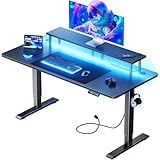
5. HLDIRECT Electric Standing Gaming Desk with LED Lights, 47 Inch Height Adjustable Gaming Table Sit Stand Computer Workstation with Power Outlet & Monitor Stand, Rising Desk for Home, Bedroom, Black
Overview:
The HLDIRECT gaming desk emphasizes silent operation and modern connectivity in a 47-inch package. Operating below 50 decibels, it adjusts from 27.8 to 44.5 inches via an intelligent control chip with three memory presets. The carbon fiber composite surface resists scratches and stains while providing a smooth gaming experience.
What Makes It Stand Out:
Ultra-quiet motor performance makes this ideal for shared living spaces or nighttime use. The monitor stand features integrated LED lighting controllable through a dedicated app. The power strip includes three AC outlets, two USB-A ports, and a USB-C port—a rare forward-thinking addition. The master switch enables instant power cutoff, while hidden cable management channels maintain clean aesthetics.
Value for Money:
Competitively priced for its feature set, the desk justifies cost through modern connectivity and premium build quality. The USB-C port alone adds significant value for users with newer devices. The ultra-quiet operation and durable materials suggest longevity, reducing replacement costs. It matches or exceeds features of pricier competitors while maintaining accessible pricing.
Strengths and Weaknesses:
Strengths include whisper-quiet motor operation, comprehensive power solution with USB-C, durable carbon fiber surface, sturdy T-shaped steel frame supporting 180 lbs, smart LED monitor stand, and excellent cable management. Weaknesses include slightly lower height range than some competitors, 47-inch surface may limit multi-monitor setups, and LED features are limited to monitor stand rather than full desk.
Bottom Line:
A top contender for users prioritizing quiet operation and modern device connectivity. Its thoughtful power integration and silent motor make it perfect for bedrooms, apartments, or shared spaces where noise and cable clutter are concerns.
6. FLEXISPOT CyberX 63 Inch RGB LED Electric Gaming Standing Desk, Dual Motor 3-Stage Adjustable Desk up to 352 lbs, Large Ergonomic Computer Workstation for Gamers, Streamers & Home Studios (Black)

Overview: The FLEXISPOT CyberX is a premium 63-inch gaming standing desk that merges ergonomic functionality with immersive aesthetics. Designed for serious gamers and streamers, it features integrated RGB lighting and a unique gamepad-style controller. With dual motors supporting 352 lbs and a wide height range, it’s built for heavy-duty setups that demand both performance and style.
What Makes It Stand Out: The 3-sided RGB LED strips and gamepad-inspired joystick controller create an unparalleled gaming atmosphere. This isn’t just cosmetic—the controller offers three memory presets for seamless height adjustments. The aerospace-grade steel construction and 3-stage legs provide exceptional stability across a 24.4"–50" range, accommodating users of all heights while maintaining whisper-quiet operation.
Value for Money: While priced at the premium end, the CyberX justifies its cost with dual-motor reliability, industry-leading weight capacity, and gaming-specific features competitors lack. The 5-year frame/motor warranty and 3-year electronics coverage significantly outpace standard offerings, making it a long-term investment rather than a disposable purchase for serious users.
Strengths and Weaknesses: Strengths include robust 352-lb capacity, whisper-quiet dual motors, immersive RGB integration, and superior warranty coverage. The gamepad controller adds genuine utility beyond gimmickry. Weaknesses include a higher price point that may deter casual users, and the RGB focus might not suit professional office environments.
Bottom Line: For dedicated gamers and streamers seeking a feature-rich, durable standing desk, the CyberX delivers exceptional value. Its unique gaming-centric design elements and robust construction make it worth the premium investment.
7. OffiGo Gaming Standing Desk with LED Light, 48 Inch Electric Height Adjustable Table with Power Outlet & Floating Monitor Stand, Sit Stand Computer Workstation for Home, Bedroom, Black

Overview: The OffiGo 48-inch electric standing desk targets gamers wanting practical features without breaking the bank. It combines height adjustability with LED lighting, integrated power solutions, and smart storage options. The floating monitor stand design maximizes surface area while keeping essentials organized, making it ideal for bedroom or compact gaming setups where space efficiency matters.
What Makes It Stand Out: This desk excels at thoughtful integration of everyday conveniences. The LED system offers 10 static colors and 10 dynamic modes—more versatile than basic RGB strips. The built-in power outlets (3) and USB ports (2) eliminate cable clutter, while the monitor stand with open storage, headphone hook, and cup holder create a complete gaming station solution without aftermarket accessories.
Value for Money: Positioned in the mid-range segment, the OffiGo packs exceptional value. Comparable desks rarely include power outlets, USB charging, and dedicated accessories at this price. While its 48-inch size limits multi-monitor setups, the feature density makes it a smarter buy than basic standing desks for gamers prioritizing convenience and cable management.
Strengths and Weaknesses: Strengths include integrated power/USB ports, versatile LED lighting, practical accessories, and ergonomic monitor stand with storage. Weaknesses include smaller 48-inch surface limiting expansion, unspecified weight capacity suggesting lighter-duty construction, and basic warranty coverage compared to premium brands.
Bottom Line: Perfect for budget-conscious gamers needing an all-in-one solution. The OffiGo delivers impressive functionality for its price, though heavy users may eventually outgrow its capacity.
8. DUMOS 63 Inch Electric Standing Desk Height Adjustable, Sit to Stand Computer Workstations Large Work PC Table Home Office Writing Gaming Desks with Memory Presets for Walking Pad, Bedroom, Black

Overview: The DUMOS 63-inch standing desk prioritizes spaciousness and simplicity for professionals and gamers alike. Its expansive surface accommodates multiple monitors and accessories, while the tool-free assembly promises setup in 30 minutes. With quiet operation and sturdy construction, it’s engineered for distraction-free productivity in shared spaces where noise and complexity are concerns.
What Makes It Stand Out: The near-silent motor operating below 50 dB is a standout feature for home offices where noise matters. The tool-free assembly is genuinely innovative—most standing desks require extensive hardware. The reinforced steel frame with wide T-leg design delivers stability without premium pricing, while the 63-inch width matches high-end models costing significantly more.
Value for Money: This desk offers excellent mid-range value. You get a spacious 63-inch surface, quiet operation, and robust 176-lb capacity at a price point below premium gaming brands. While it lacks RGB lighting and accessories, the focus on core functionality and easy assembly makes it a practical choice for users wanting quality without paying for flashy features they won’t use.
Strengths and Weaknesses: Strengths include whisper-quiet operation, spacious surface, tool-free assembly, stable T-leg design, and 50,000-cycle durability testing. Weaknesses include no integrated lighting, limited 176-lb capacity compared to dual-motor models, and absence of built-in power outlets or accessories that gamers might want.
Bottom Line: An outstanding choice for users prioritizing workspace size, quiet operation, and hassle-free setup over gaming aesthetics. The DUMOS delivers reliable performance at a competitive price.
9. HUANUO Dual Motor L-Shaped Standing Gaming Desk, 71 x 48 inch Corner Standing Desk, Electric Adjustable Gamer Computer Table with Cable Tray & 3 Preset Heights, Raising Table for Home Office, Black

Overview: The HUANUO L-shaped standing desk maximizes corner space with its generous 71 x 48-inch surface. Designed for multitaskers, it provides separate zones for gaming, streaming, and productivity. Dual motors support 220 lbs while the reversible configuration adapts to any room layout, making it ideal for dedicated home offices where corner placement optimizes space.
What Makes It Stand Out: The L-shape design is the obvious differentiator, but the execution matters—the 50% wider carbon steel frame and 20% thicker desktop provide exceptional rigidity. The integrated cable management tray is deeper than competitors, actually hiding surge protectors. Storage hooks on both sides and left/right orientation flexibility demonstrate thoughtful engineering for real-world use.
Value for Money: For L-shaped standing desks, this offers compelling value. Dual-motor L-desks typically command premium prices, but HUANUO balances cost with 220-lb capacity and genuine durability (50,000-cycle testing). While more expensive than rectangular desks, the space efficiency and build quality justify the investment for users needing maximum surface area in corners.
Strengths and Weaknesses: Strengths include spacious L-shaped surface, robust dual-motor system, effective cable management, reversible configuration, and generous weight capacity. Weaknesses include larger footprint requiring more room, 55 dB operation slightly louder than premium models, and limited color options that may not match all decor.
Bottom Line: Ideal for users needing maximum workspace in a corner configuration. The HUANUO L-desk combines practical design with solid construction, making it a smart investment for serious home office setups.
10. CubiCubi Electric Standing Desk, 48 x 24 Inches Height Adjustable Sit Stand Desk, Ergonomic Home Office Computer Workstation, Rustic Brown

Overview: The CubiCubi 48 x 24-inch standing desk targets budget-conscious buyers seeking essential functionality without sacrificing safety or stability. Its compact footprint suits small home offices, while the 6th-generation lift system provides smooth height adjustment. Certified eco-friendly materials and a child safety lock address concerns about sustainability and family safety that competitors often ignore.
What Makes It Stand Out: The child safety lock is a rare and valuable feature in this category, adding essential peace of mind for parents. The eco-credentials are substantive—FSC certification for formaldehyde emissions and ISED safety standards exceed typical budget desk marketing claims. The 30% longer frame wings genuinely improve stability without increasing cost, directly addressing a common budget desk weakness.
Value for Money: This represents exceptional value for entry-level standing desks. You get near-premium stability, whisper-quiet operation below 45 dB, and meaningful safety certifications at a budget price point. While lacking the size and features of pricier models, it doesn’t cut corners where it matters most—stability, safety, and smooth operation.
Strengths and Weaknesses: Strengths include excellent stability for the price, child safety lock, comprehensive eco-certifications, quiet motor, and straightforward 30-minute assembly. Weaknesses include small 48 x 24-inch surface limiting workspace, unspecified lower weight capacity, and basic aesthetics without customization options.
Bottom Line: A top pick for first-time standing desk users, small spaces, or families needing safety features. The CubiCubi proves budget doesn’t have to mean compromise on core quality and safety.
Why Gamers Are Making the Switch to Standing Desks
The Health Crisis Hiding in Your Gaming Setup
Extended sitting compresses your spine, reduces blood flow to your lower extremities, and creates a cascade of metabolic issues that no amount of post-game stretching can fully reverse. Research published in the Journal of Physical Activity and Health reveals that even vigorous exercise doesn’t counteract the negative effects of prolonged sitting. For gamers, this translates to reduced reaction times, brain fog during critical moments, and chronic issues like sciatica that can bench you entirely. Standing desks interrupt this damage cycle by promoting micro-movements, improving circulation to your brain (crucial for split-second decision making), and activating core muscles that support better posture.
The real danger isn’t just the sitting—it’s the static posture. Competitive gaming demands intense focus that locks your body into position for hours. A quality standing desk encourages natural position shifts, weight redistribution, and subtle movements that keep your nervous system engaged without distracting from your gameplay. Think of it as a passive buff to your physical resilience, allowing you to maintain peak mental performance longer without the physical debuff of a stiff neck or numb legs.
Performance Benefits That Actually Impact Your K/D Ratio
Standing while gaming increases your heart rate by an average of 8-10 beats per minute, delivering more oxygenated blood to your brain when you need it most. This isn’t just health jargon—neurological studies show that increased cerebral blood flow enhances pattern recognition and reaction times, two critical components of competitive gaming. Pro players in titles like Valorant and Counter-Strike report feeling “more alert” and “locked in” during standing sessions, particularly during tournament-style brackets where mental fatigue is the real enemy.
Beyond physiology, standing positions naturally facilitate better breathing mechanics. When you’re hunched in a gaming chair, your diaphragm can’t fully expand, reducing oxygen intake by up to 30%. Standing opens your chest cavity, allowing deeper breaths that stabilize your nervous system during high-pressure clutch moments. The psychological component matters too—standing triggers a subtle power pose effect, increasing confidence and assertiveness that translates to more aggressive, decisive plays.
Key Features That Define a Premium Gaming Standing Desk
Electric vs. Manual Height Adjustment: What Gamers Need to Know
Electric standing desks dominate the gaming space for good reason, but understanding motor specifications is critical. Look for dual-motor systems that deliver at least 2.3-2.5 inches per second lift speed—any slower and you’ll hesitate to adjust positions during quick breaks. The motor torque rating, typically measured in newton-meters (Nm), determines how smoothly the desk handles uneven weight distribution. Premium gaming desks offer 35-40 Nm per motor, ensuring your monitors don’t shake like a leaf when you’re adjusting mid-match.
Manual crank desks might tempt budget-conscious buyers, but the 30-40 cranks needed for full height adjustment create a psychological barrier to position changes. For gamers, the frictionless nature of electric desks with programmable presets is non-negotiable. You need to transition from seated strategy planning to standing execution in under 5 seconds without breaking your mental flow. Some high-end models now feature collision detection sensors that prevent crushing expensive equipment if something gets caught—a feature worth its weight in gold when you’ve got $2,000+ in peripherals on the surface.
Weight Capacity: Supporting Your Entire Battle Station
Gaming setups easily exceed 150 pounds when you factor in triple monitors (30-40 lbs), a full-tower PC (40-60 lbs), monitor arms (10-15 lbs), speakers, capture cards, and peripherals. Entry-level standing desks often rate 150-175 lbs, but that’s a static rating without accounting for dynamic forces when you’re rage-tapping your keyboard or celebrating a clutch. For gaming, target a desk rated for at least 250-300 lbs to maintain a safety margin.
The weight distribution matters as much as total capacity. Desks with crossbar support between legs provide superior torsional rigidity, preventing the desktop from acting like a diving board when you lean on it. Check the weight rating per leg section—some manufacturers advertise high total capacity but concentrate it in the center, leaving the edges weak. Your monitor arms clamp to those edges, so they need to handle 50+ lbs concentrated loads without deflection.
Stability at Full Height: Eliminating the Dreaded Wobble
Nothing breaks immersion like a monitor that shimmers with every keystroke. At full extension (typically 48-50 inches high), many standing desks develop concerning lateral movement. The culprit is usually inadequate leg construction or missing cross-bracing. Look for desks with telescoping leg segments that use thick-gauge steel (at least 14-gauge) and minimal gap tolerance between sections. The best gaming desks employ wedge systems that tighten as height increases, actively reducing play at full extension.
Test stability specifications by checking the desk’s deflection rating, measured in millimeters of movement under a 50-pound lateral load. Premium gaming desks stay under 2mm of deflection at maximum height—anything over 5mm will be noticeable during intense gaming. The footprint width relative to height is another tell: desks with feet extending at least 28 inches apart provide a stable base that won’t tip when you lean into a clutch moment.
Desktop Size and Surface Area: Mapping Your Gaming Territory
Your mouse sensitivity determines your horizontal space needs, but most competitive players using 400-800 DPI require at least 36 inches of uninterrupted lateral space for sweeping movements. The depth is equally critical—30 inches minimum to position monitors at arm’s length (24-28 inches from your eyes), preventing eye strain and allowing proper focal distance. Ultra-wide monitor users need even more depth to avoid the “too close to windshield” effect.
Consider the “dead zone” around desk edges where monitor clamps and cable management systems reside. A 60-inch wide desk might only offer 50 inches of usable space after accounting for these necessities. Look for desks with recessed edges or integrated mounting solutions that preserve surface area. Some gaming-specific models feature slightly curved front edges that bring the center closer while providing wrap-around space—perfect for streamers with multiple camera angles.
Ergonomics Beyond Just Standing: The Complete Picture
Monitor Placement and Height for Competitive Advantage
Your monitor’s top bezel should sit exactly at eye level when standing, creating a 10-15 degree downward gaze angle that reduces eye strain and keeps your neck neutral. This is non-negotiable for gaming, where visual scanning across the screen demands rapid eye movements without head tilting. Standing desks enable this perfect positioning, but you need a monitor arm with at least 13 inches of vertical adjustment to maintain the relationship between sitting and standing positions.
The distance formula is critical: measure your screen size diagonally and multiply by 1.5-2 for optimal viewing distance. A 27-inch monitor belongs 40-54 inches from your eyes. Standing desks help here by allowing you to adjust not just height but your standing position relative to the desk, letting you fine-tune this distance without moving your entire setup. For triple monitor arrays, the side monitors should angle in at 30-45 degrees, creating a wrap-around effect that standing positions enhance by allowing more natural body rotation.
Keyboard and Mouse Positioning for Precision
Your elbows must maintain a 90-110 degree angle with forearms parallel to the floor, whether sitting or standing. This keeps your shoulders relaxed and allows precise wrist movements for mouse control. Standing desks with keyboard trays positioned 1-2 inches below elbow height achieve this perfectly. However, most gamers prefer desk-surface peripherals for stability, so the desk’s height range becomes critical—it must lower enough for comfortable seated play (26-28 inches) and raise high enough for standing ergonomics (44-46 inches).
Wrist extension beyond 15 degrees increases carpal tunnel pressure exponentially. When standing, people unconsciously rest their wrists on desk edges, creating dangerous extension angles. The solution is a desk with a contoured front edge or adding a padded wrist rest that maintains neutral alignment. Your mousepad should be large enough to keep the mouse on the same plane as the keyboard—height differences between peripherals create compensatory wrist angles that degrade aim consistency over time.
Cable Management Solutions for a Clean Aesthetic
A standing desk in motion creates cable chaos—every 12 inches of height adjustment pulls cables taught or leaves them dangling. Premium gaming desks integrate cable chains or spiral wraps that move with the desk, maintaining clean routing without tension. Look for desks with at least 6-8 inches of cable slack management built into the frame, plus grommet holes positioned to route cables from central PC placement to peripheral zones.
The best setups use a two-stage cable strategy: static management for equipment that stays put (PC, monitor power) and dynamic management for items that move (keyboard, mouse, headset). Magnetic cable anchors attached to the desk legs allow quick repositioning without adhesive residue. For streamers, separate cable channels for power and data prevent electromagnetic interference that can cause USB disconnects during critical moments—a nightmare scenario during live broadcasts.
Anti-Fatigue Mats: The Unsung Hero of Extended Sessions
Standing on a hard floor for even 30 minutes creates pressure points that distract from gameplay. Anti-fatigue mats with 3/4-inch to 1-inch thickness and beveled edges prevent tripping while encouraging micro-movements that activate stabilizing muscles. The material matters—high-density polyurethane with rebound properties maintains support without bottoming out, unlike cheap foam mats that compress permanently after a few weeks.
Top-tier gaming mats feature subtle texture patterns that provide grip for rapid foot repositioning without catching on chair casters when you switch to seated mode. Some include massage points or raised zones that promote blood flow during loading screens or between matches. The mat should extend at least 6 inches beyond your typical stance width in all directions, giving you room to shift naturally without stepping off. This seemingly simple addition can extend comfortable standing time from 20 minutes to 2+ hours, fundamentally changing how you approach long gaming sessions.
Build Quality and Materials: What Separates the Best from the Rest
Desktop Materials: From Bamboo to Carbon Fiber
Bamboo tops dominate the mid-range market, offering sustainable sourcing and natural antimicrobial properties that resist sweat and snack residue. However, bamboo’s density varies, and lower-quality versions can dent under monitor clamp pressure. Look for bamboo with at least 1-inch thickness and a multi-layer cross-ply construction that prevents warping from humidity changes—critical if you live in climates where air conditioning cycles dramatically.
Solid wood desktops provide unmatched durability and acoustic dampening, reducing keyboard clatter that can bleed into streaming microphones. But weight becomes a factor—a 60-inch solid walnut top can weigh 80+ pounds, reducing the effective weight capacity for your gear. For the ultimate gaming surface, carbon fiber overlays offer incredible strength-to-weight ratios and built-in EMI shielding, but at premium prices. High-pressure laminate (HPL) surfaces with textured finishes provide the best value, offering scratch resistance and consistent texture that won’t wear smooth under your mouse after months of flick shots.
Frame Construction: Steel Gauge and Durability
The frame is your desk’s skeleton, and 14-gauge steel is the minimum acceptable thickness for gaming loads. Anything thinner (16-gauge or higher numbers) will flex under dynamic loads, creating micro-vibrations that blur your screen during intense moments. The best frames use 12-gauge steel with reinforced gussets at joint connections, providing the rigidity needed for precision gaming at full height.
Powder coating quality determines long-term corrosion resistance. Look for frames with multi-stage pretreatment and polyester powder coating at least 2-3 mils thick—this prevents chipping when you inevitably kick the legs during intense moments. Welded joints outperform bolted connections for stability, but limit disassembly for moving. Some premium frames use hybrid construction: welded main joints with bolted leg extensions, balancing rigidity with portability.
Warranty and Brand Reputation: Long-Term Investment Protection
A standing desk’s warranty reveals its true quality. Ten years on the frame and 3-5 years on motors indicates manufacturer confidence in their engineering. Be wary of “lifetime” warranties with fine print that excludes commercial use—gaming often qualifies as heavy-duty use due to daily hour counts exceeding standard office work. The best gaming desk brands offer “no questions asked” replacement policies for electronic failures, understanding that a dead motor during a tournament weekend is unacceptable.
Check the brand’s customer service responsiveness before purchasing. Send a pre-sales question and measure response time. Companies that reply within 24 hours with technical details rather than generic answers typically support their products better long-term. Look for brands with active user communities on Reddit or Discord where real gamers share long-term experiences. A company that engages with these communities and addresses concerns publicly demonstrates accountability that translates to better warranty support when you need it.
Advanced Features for the Modern Gaming Setup
Programmable Memory Presets for Instant Transitions
Four memory presets are the sweet spot for gaming: one for seated gaming, one for standing gaming, one for seated non-gaming (browsing, strategy review), and one for standing non-gaming (watching streams, chatting). The transition speed between presets should be under 3 seconds to avoid breaking your workflow. Premium controllers store these settings in non-volatile memory that persists through power outages, so you don’t recalibrate after every electrical blip.
Some advanced systems offer “comfort zone” programming that prevents the desk from stopping at heights that don’t match your saved presets, automatically adjusting an inch up or down to reach your exact ergonomic position. This eliminates the frustration of landing between settings and manually fine-tuning. For households with multiple gamers, look for desks that support user profiles—each person’s presets load via a simple code, preventing accidental height changes that throw off your muscle memory.
Integrated USB Ports and Power Solutions
Cable management extends to power delivery. Desks with integrated power strips featuring 12+ outlets and USB-C PD (Power Delivery) ports up to 100W eliminate the need for wall warts and extension cords that clutter your space. The key is placement: power modules should sit recessed on the desk’s underside, not the top surface where they interfere with mouse movement. Look for rotating or flip-up designs that hide completely when not in use.
USB hubs integrated into the frame should offer USB 3.2 Gen 2 speeds (10 Gbps) minimum to handle high-refresh-rate webcams, capture cards, and peripherals without latency. Some premium desks now include KVM (Keyboard, Video, Mouse) switch functionality built into the USB hub, letting you toggle between gaming PC and streaming PC with a single button press—essential for dual-system setups. Ensure the hub has independent power injection to prevent voltage sag when multiple devices draw simultaneously.
RGB Lighting Integration: Function vs. Flair
RGB on a desk can be more than aesthetic. Under-desk lighting that reacts to in-game events via software integration (like Razer Chroma or Corsair iCUE) provides ambient awareness—your desk pulsing red when low on health or flashing during ultimate ability cooldowns. This peripheral vision feedback reduces the need to glance at UI elements, keeping your eyes on the action. However, poorly implemented RGB creates glare on monitor screens and distracts from dark scenes.
Quality gaming desks use diffused LED strips with 60+ LEDs per meter for smooth color transitions and mount them in channels that direct light downward, preventing direct line-of-sight to the diodes. The control module should offer 2.4 GHz wireless connectivity to avoid adding another USB dongle, and memory to retain settings when the desk powers down. Pro tip: choose desks where RGB zones can be controlled independently, allowing you to illuminate just the rear edge for subtle bias lighting that reduces eye strain without creating a disco effect.
Noise Level Considerations for Streamers and Content Creators
Desk motor noise becomes content creation enemy number one. Budget desks operate at 50-55 decibels—loud enough to require noise gating in microphone setups. Premium gaming desks use brushless DC motors with helical gears that reduce noise to 35-40 decibels, roughly the level of a quiet library. This matters not just for adjustments but for vibration transmission: noisy motors often create micro-vibrations that travel through the desk and into sensitive microphone stands.
For streamers, look for desks with “silent mode” programming that slows transition speed by 50% to reduce noise during live broadcasts. Some models include vibration dampening pads between the motor housing and frame, isolating mechanical noise. The controller’s beep confirmations should be optional and volume-adjustable—nothing kills a tense moment like a loud beep when you adjust desk height mid-stream. Test the desk’s idle noise too; cheap power supplies can emit coil whine that drives audio purists insane.
Space Planning and Room Integration
Measuring Your Gaming Space: The 3D Consideration
Most buyers measure floor space but forget vertical clearance. Your standing desk needs at least 6 inches of clearance above your head when fully raised—accounting for your height plus the desk’s maximum height plus monitor stand elevation. Ceiling fans, low-hanging lights, and HVAC vents become obstacles. Measure your room’s height at multiple points; older homes often have sagging ceilings that are lower in the center.
Don’t forget depth clearance behind the desk. When standing, you naturally lean forward, requiring 30-36 inches of clear space behind your chair for safe transitions. The desk’s footprint includes the feet, which often extend 4-6 inches beyond the desktop depth. Use painter’s tape to outline the full dimensions on your floor, then physically simulate gaming movements to ensure you won’t hit walls or furniture during excited gestures.
Corner vs. Straight Desks: Optimizing Room Layout
Corner standing desks maximize surface area in limited spaces but introduce unique stability challenges. The L-shape creates leverage points that amplify wobble, especially along the extended wing. Premium corner gaming desks use T-shaped leg arrangements rather than simple L-extensions, distributing weight across three points instead of two. The corner joint must be reinforced with steel brackets; otherwise, the seam will flex and create an uneven surface for mouse tracking.
Straight desks offer superior stability and simpler cable routing but require more wall length. For room corners, consider a straight desk with a matching return extension that can be detached. This modular approach lets you reconfigure for different spaces and reduces the initial investment. The return should attach via bolts, not just screws, and include a support leg if it extends more than 30 inches from the main desk. Streamers often prefer straight desks positioned away from walls, creating a “command center” aesthetic that impresses on camera.
Future-Proofing Your Setup for Upgrades
Your next GPU upgrade might demand a larger case. Your streaming career might require a second PC. Future-proofing means choosing a desk with 30-40% more weight capacity and surface area than your current needs. The modular nature of some premium desks allows you to replace just the desktop surface while keeping the frame, saving money when you want to upgrade from a 48-inch to a 72-inch top.
Consider mounting compatibility. Your next monitor might be a 48-inch OLED that requires a heavy-duty arm. Ensure the desk can support monitor mounts with bolt-through installation, not just edge clamps. Some frames include threaded inserts at standard VESA spacing, letting you bolt accessories directly to the frame without weakening the desktop. Look for desks with accessory rails integrated into the frame underside—these accept sliding mounts for future add-ons like headphone holders, controller chargers, or even a dedicated streaming deck mount.
Budget Considerations and Value Assessment
Understanding Price Tiers in Gaming Standing Desks
The sub-$300 tier uses single-motor designs with limited weight capacity (150-175 lbs) and basic controllers. These work for minimal setups (single monitor, laptop) but fail under real gaming loads. The $300-$600 sweet spot offers dual-motor stability, 200-250 lb capacity, and programmable presets—this is where most gamers should aim. The $600-$900 range adds premium surfaces, advanced cable management, and brand reputation with robust warranties. Above $900, you’re paying for exotic materials, integrated power, and specialized gaming features like RGB and ultra-quiet operation.
Price per pound of capacity is a useful metric. A $500 desk supporting 250 lbs costs $2 per pound; a $300 desk supporting 150 lbs costs the same but offers less headroom. Factor in expected lifespan: a $800 desk with a 10-year warranty costs $80 per year, while replacing a $300 desk every 2-3 years due to motor failure costs $100-150 annually. The math favors investing upfront for serious gamers who log 30+ hours weekly.
Hidden Costs to Factor Into Your Decision
That budget desk price doesn’t include a monitor arm ($100-300), cable management accessories ($50-150), anti-fatigue mat ($50-100), or power strip ($30-80). Professional assembly might run $100-200 if you’re not comfortable with 2-3 hours of careful work. Shipping costs vary dramatically; some brands offer free freight while others charge $150+ for a 150-pound package.
Don’t forget the cost of your time during assembly. A complicated desk might take 4+ hours to build, time you could spend gaming. Some manufacturers offer white-glove delivery and setup for $200-300, which includes debris removal and warranty validation. For streamers, consider the opportunity cost of a desk failure during a critical broadcast—losing a day’s revenue might exceed the price difference between a reliable desk and a cheap alternative.
Assembly and Maintenance: What to Expect
DIY Assembly: Tools, Time, and Tips
Most gaming standing desks require assembly of 50-80 components and take 90-180 minutes for one person. The process involves attaching legs to the frame, mounting the desktop, routing cables, and calibrating the motor controller. Essential tools beyond the included Allen keys are a cordless drill with hex bits (saves 30+ minutes), a rubber mallet for tapping joints flush, and a stud finder for wall anchoring if you use monitor arms.
The critical step is frame-to-desktop attachment. Over-tightening screws can strip the threaded inserts or crack the surface, while under-tightening creates wobble. Tighten in a star pattern, similar to lug nuts on a car, applying firm pressure but not full torque. For laminate desktops, add a thin bead of silicone caulk around screw holes before assembly to prevent moisture ingress that causes bubbling. After assembly, run the desk through its full height range 5-10 times without weight to distribute lubricant and identify any binding before you load expensive equipment.
Long-Term Maintenance for Smooth Operation
Every 6 months, vacuum dust from the leg columns and apply dry Teflon spray to the lead screws—never use oil-based lubricants that attract dirt. Check bolt tightness quarterly; vibration from typing and desk movement slowly loosens hardware. Tighten leg bolts to the manufacturer’s torque spec (usually 15-20 Nm) using a torque wrench to avoid over-stressing threads.
If the desk develops a slight wobble, first check that all feet make solid contact with the floor. Adjustable leveling feet should be turned until they just touch, then backed off a quarter-turn to avoid overloading one leg. For electric desks, recalibrate the height controller annually by running to the lowest setting, holding the down button for 10 seconds until it beeps, then repeating at the highest setting. This resets the motor’s position sensors, preventing drift that causes uneven leveling. Keep firmware updated via USB if your desk offers it—manufacturers often release stability improvements.
Frequently Asked Questions
Standing desks enhance performance indirectly by improving physiological factors that affect gaming. Increased blood flow delivers more oxygen to your brain, potentially sharpening reaction times by 5-10% according to ergonomic studies. The real benefit is sustained performance—standing reduces the mental fatigue that accumulates during hour three of a session, keeping your decision-making crisp. Many pro players report feeling “more engaged” and “locked in” when standing, particularly in fast-paced shooters. However, the desk itself doesn’t make you better; it removes physical barriers that limit your potential. Expect a 1-2 week adjustment period where performance might dip as your body adapts to new muscle engagement.
The ideal ratio follows a 1:1 pattern with position changes every 30-45 minutes. Start with 20 minutes standing, 40 minutes sitting, gradually increasing standing time as your endurance improves. Never stand for more than 90 minutes continuously—fatigue degrades posture and concentration. Use your desk’s memory presets to make switching effortless. Many gamers stand during active gameplay (matches, raids) and sit during downtime (menus, strategy discussions, social hubs). Listen to your body: discomfort means switch positions, not push through. A good anti-fatigue mat makes standing comfortable for 2+ hours, but variety remains key to preventing overuse injuries.
When seated, your desk surface should be 1-2 inches below your bent elbow height. For a 5'10" person, that’s typically 27-28 inches. When standing, the surface rises to 44-46 inches for the same person. The precise formula: measure your elbow height in both positions, subtract 2 inches for keyboard/mouse clearance. Your monitor’s top bezel should always sit at eye level, requiring a monitor arm with 12+ inches of vertical adjustment to maintain this relationship between positions. Never compromise on these heights—gaming with raised shoulders or extended wrists causes repetitive strain injuries that develop slowly but persist for years.
Absolutely, but you need specific features. Triple 27-inch monitors weigh 40-50 pounds total and require a desk rated for at least 250 lbs to handle the dynamic load of monitor arms. Ultrawide monitors (49-inch super ultrawides) need a desk depth of 30+ inches to position them at proper focal distance. The critical factor is the monitor arm’s mounting method—bolt-through installation is mandatory for heavy setups, as edge clamps can fail under torque. Some gaming desks include reinforced mounting plates at standard VESA positions, letting you bolt monitors directly to the frame. Ensure the desk’s width accommodates your total monitor span plus 6 inches on each side for cable management.
Manual desks save $200-400 but create a psychological barrier to position changes. The 30-40 cranks needed for full adjustment take 60-90 seconds and break your mental flow. For gaming, where you might want to switch positions during a 2-minute queue timer, this is impractical. Manual desks also lack memory presets, making precise height repetition difficult. The only scenario where manual makes sense is for backup/streaming PCs or secondary setups that don’t see daily competitive use. For your main battlestation, electric is non-negotiable. The time saved and consistency gained justify the cost within months of heavy use.
Calculate your current setup weight, then add 30% for future upgrades. A typical gaming PC (40-60 lbs), triple monitors (40-50 lbs), monitor arms (10-15 lbs), speakers (5-10 lbs), and peripherals (5 lbs) totals 100-140 lbs. Add another monitor, upgrade to a larger case, or add streaming gear, and you’re pushing 200 lbs. Target a desk rated for 250-300 lbs minimum. The rating is static; dynamic loads from typing, leaning, and excited movements effectively double the static weight. A desk operating near its maximum capacity will wear out motors faster and develop stability issues. The weight rating also indicates overall build quality—higher capacity desks use thicker steel and better engineering throughout.
Most premium gaming chairs with adjustable armrests work perfectly with standing desks. The key is ensuring your chair’s maximum height aligns with your seated desk height—measure from floor to armrest top and compare to your target desk height. Monitor arms are universally compatible if they use standard grommet or edge clamp mounting. Heavy setups benefit from desks with pre-drilled mounting holes that accept bolt-through installation. Check your arm’s weight capacity against your monitor weight; ultrawides often exceed standard arm ratings. Some monitor arms have minimum desk thickness requirements (usually 0.5 inches minimum, 3.5 inches maximum for clamps)—verify your desk’s edge profile before purchasing. Quality standing desks work with 99% of aftermarket ergonomic accessories.
Premium gaming desks operate at 35-40 decibels during adjustment—quieter than normal conversation and easily masked by game audio. Budget desks can hit 50-55 decibels, requiring noise gating in microphone setups. The real concern is vibration transmission to sensitive microphone boom arms. Desks with brushless motors and vibration isolation pads minimize this. For streaming, use “silent mode” if available, which reduces speed by 50% for near-silent operation. Time adjustments during natural audio breaks (loading screens, between matches). The motor runs for only 3-5 seconds per adjustment—planning eliminates any stream impact. Some streamers even use desk adjustments as “scene change” moments, turning a mechanical necessity into production value.
One person can assemble most gaming standing desks in 90-180 minutes with basic tools. The heaviest component is typically the desktop (50-80 lbs), which you can maneuver with furniture sliders. Assembly involves attaching legs to the frame (30 minutes), mounting the frame to the desktop (45 minutes), routing cables (15 minutes), and calibrating the controller (10 minutes). A cordless drill with hex bits cuts time by 30+ minutes. The critical step is flipping the assembled desk upright safely—use cardboard sliders and pivot from one edge rather than lifting straight up. Most manufacturers recommend two people for this step, but careful solo builders can manage by removing heavy equipment first. Professional assembly services ($100-200) are worthwhile if you’re not mechanically inclined or value your time at $50+ per hour.
A quality standing desk frame lasts 10-15 years with minimal maintenance. Electric motors typically endure 10,000-20,000 cycles (raising and lowering), which translates to 7-10 years of daily use with 4-5 adjustments per day. Premium desks with brushless motors can exceed 30,000 cycles. The desktop surface shows wear first—laminate tops may delaminate after 5-7 years of heavy use, while solid wood or bamboo can last decades with refinishing. Most failures are electronic, not structural, and occur within the first 2 years (defective components) or after 8+ years (wear items). A good warranty (10 years frame, 5 years motor) protects your investment. Realistically, you’ll upgrade for new features (faster motors, RGB integration) before the desk fails mechanically. Budget desks might need replacement in 3-5 years due to motor strain or stability degradation.
See Also
- The 10 Best Standing Desks Every Gamer Needs in 2026
- Stop Sedentary Fatigue with the 10 Best Compact Standing Desks This Year
- Stop Back Pain with the 10 Best Height Adjustable Standing Desks This Year
- 10 Best Standing Desks for Dual Monitor Gaming Setups This Year
- 10 Best Manual Standing Desks for Budget-Conscious Shoppers This Year