Table of Contents
If you’re watching your wallet but still want to escape the sedentary trap of traditional office work, a manual standing desk might be your smartest move this year. While electric desks grab headlines with their motors and memory presets, their manual counterparts deliver the same core health benefits—reduced back pain, increased energy, and improved focus—at a fraction of the cost. The market has evolved dramatically, with manufacturers now offering surprisingly sophisticated height-adjustment mechanisms that don’t require an outlet or a second mortgage.
But here’s the catch: not all budget manual desks are created equal. Some cut corners in places that matter, while others punch well above their price class with clever engineering and durable materials. This guide cuts through the marketing noise to help you understand what truly separates a value-packed manual desk from a cheap disappointment. Whether you’re a remote worker carving out a corner in your apartment or a small business owner outfitting an entire team, you’ll learn how to spot quality, avoid common pitfalls, and make a purchase that stands the test of time—without standing on your budget.
Top 10 Manual Standing Desks
Detailed Product Reviews
1. VIVO Manual Height Adjustable 60 x 24 inch Stand Up Desk, Rustic Vintage Brown Solid One-Piece Table Top, Black Frame, Standing Workstation with Foldable Handle, DESK-KIT-MB6N
 60 x 24 inch Stand Up Desk, Rustic Vintage Brown Solid One-Piece Table Top, Black Frame, Standing Workstation with Foldable Handle, DESK-KIT-MB6N](https://m.media-amazon.com/images/I/41GEWSRDr+L._SL160_.jpg)
Overview: The VIVO DESK-KIT-MB6N delivers a complete manual standing desk solution featuring a spacious 60x24-inch rustic vintage brown surface paired with a robust black steel frame. This workstation transitions from 28.6 to 46.8 inches via a simple hand crank, supporting up to 110 pounds of equipment for versatile home or office use.
What Makes It Stand Out: The one-piece particle board top eliminates seam breaks for uninterrupted workflow, while the rustic brown finish adds warmth rarely found in utilitarian office furniture. The foldable crank handle tucks away cleanly when not in use, and the telescopic legs ensure smooth height transitions without electric motors or cables.
Value for Money: Priced competitively against entry-level electric desks, this manual model offers reliable operation without motor failure risks. The solid construction rivals premium brands at a fraction of the cost, making it ideal for budget-conscious professionals seeking long-term ergonomic benefits.
Strengths and Weaknesses: Strengths include the generous surface area, sturdy all-steel frame, scratch-resistant top, and effortless crank mechanism. Weaknesses are the 110-pound capacity limiting heavier multi-monitor setups, particle board construction versus solid wood, and manual operation requiring occasional physical effort.
Bottom Line: Perfect for home offices and remote workers wanting style and functionality without breaking the bank. The rustic aesthetic distinguishes it from generic black workstations while delivering solid ergonomic performance and durability.
2. VIVO Manual Height Adjustable 60 x 24 inch Stand Up Desk, Black Solid One-Piece Table Top, Black Frame, Standing Workstation with Foldable Handle, DESK-KIT-MB6B

Overview: The VIVO DESK-KIT-MB6B offers a complete manual standing desk solution with a spacious 60x24-inch black solid one-piece top and matching black steel frame. This workstation provides height adjustment from 28.6 to 46.8 inches using a hand crank, supporting up to 110 pounds of equipment for versatile applications.
What Makes It Stand Out: The sleek all-black minimalist design creates a modern, professional aesthetic suitable for any office environment. The one-piece particle board surface eliminates seams for uninterrupted workflow, while the foldable crank handle discreetly stores beneath the desk when not in use, maintaining clean lines.
Value for Money: This manual desk delivers electric-desk ergonomics without motor costs or failure risks. Its competitive pricing makes it accessible for budget-minded professionals and remote workers wanting a clean, contemporary look without sacrificing functionality or durability.
Strengths and Weaknesses: Strengths include the large seamless surface, sturdy steel construction, scratch-resistant finish, and smooth crank operation. The black surface shows fewer marks than lighter colors. Weaknesses include the 110-pound weight limit, manual operation requiring physical effort, and particle board construction rather than solid wood.
Bottom Line: An excellent choice for those seeking a modern, all-black standing desk that combines affordability with reliable performance. Ideal for minimalist office setups and users who prioritize clean aesthetics alongside ergonomic flexibility and long-term durability.
3. Stand Steady Tranzendesk | 55 Inch Standing Desk with Detachable Wheels | Crank Height Adjustable Sit to Stand Workstation | Modern Ergonomic Desk Supports 3 Monitors (Cherry)

Overview: The Stand Steady Tranzendesk is a 55-inch crank-adjustable standing desk featuring a cherry finish and optional detachable wheels. It adjusts from standard sitting height up to an impressive 54 inches tall, accommodating users of various statures across nine square feet of desktop space while supporting 85 pounds of equipment.
What Makes It Stand Out: The innovative wheel system transforms any workspace into a mobile command center, locking securely when stationary. This flexibility is rare in standing desks. The extra-tall height range surpasses most competitors, making it ideal for taller users or those wanting maximum standing height versatility in multi-purpose rooms.
Value for Money: The mobility feature adds significant value for dynamic work environments, essentially providing two desks in one—mobile and stationary. While slightly pricier than fixed-frame options, the caster system eliminates the need for separate furniture dollies or permanent placement limitations.
Strengths and Weaknesses: Strengths include exceptional mobility, taller height range, nine square feet of surface area, and locking casters. The cherry finish adds warmth. Weaknesses are the lower 85-pound weight capacity limiting triple monitor setups, reduced stability when elevated with wheels attached, and smaller 55-inch width versus 60-inch alternatives.
Bottom Line: Perfect for flexible workspaces, classrooms, or offices requiring frequent reconfiguration. The mobility and extra height make it uniquely versatile, though users with heavy multi-monitor setups should verify weight requirements before purchasing.
4. Stand Steady Tranzendesk | 55 Inch Dual Level Standing Desk with Shelf | Easy Crank Height Adjustable Sit to Stand Desk | Stand Up Workstation with Monitor Riser for Home & Office (55in / Black)

Overview: The Stand Steady Tranzendesk Dual Level features a 55-inch desktop with an integrated monitor shelf, creating an ergonomic two-tier workstation. This crank-adjustable desk reaches 47.5 inches high and provides dedicated space for up to three monitors at eye level while freeing up the main work surface for keyboards and documents.
What Makes It Stand Out: The built-in 55-inch shelf is a game-changer for ergonomics, eliminating neck strain and the need for separate monitor stands. The removable crank can mount on either side, accommodating left- or right-handed users and various office layouts—a thoughtful design touch rarely seen in this category.
Value for Money: The integrated shelf saves $50-100 on aftermarket monitor risers while delivering superior ergonomics. This dual-level design maximizes vertical space efficiency, making it cost-effective for multi-monitor users seeking organized, compact workstations without sacrificing functionality or build quality.
Strengths and Weaknesses: Strengths include the ergonomic two-tier design, reversible crank, powder-coated scratch-resistant steel frame, and optimized monitor positioning. The shelf provides excellent organization. Weaknesses include the fixed shelf limiting reconfiguration options, unspecified weight capacity (likely similar to 85-pound Tranzendesk models), and 55-inch width restricting spread-out work styles.
Bottom Line: Ideal for professionals running dual or triple monitor setups who prioritize ergonomics and organization. The built-in shelf delivers exceptional value and comfort, though users needing maximum flexibility should consider single-surface alternatives for their workspace.
5. VIVO Black Manual Height Adjustable Stand Up Desk Frame with Hand Crank System, Ergonomic Standing 2 Leg Workstation, DESK-V101M

Overview: The VIVO DESK-V101M is a manual height-adjustable desk frame designed for DIY enthusiasts wanting custom tabletop integration. Supporting lengths from 34 to 72 inches and widths from 23 to 43 inches, this all-steel frame handles up to 132 pounds—the highest capacity in this roundup.
What Makes It Stand Out: This frame-only solution offers unmatched customization, allowing users to repurpose existing desktops or select premium solid wood surfaces. The 132-pound capacity exceeds most complete desks, accommodating robust multi-monitor arrays and heavy equipment with confidence and stability.
Value for Money: For DIYers, this represents exceptional value—purchase a quality frame once, then upgrade tops as needs change. It eliminates paying for particle board when you already own a suitable surface, effectively saving money while delivering superior load capacity and long-term durability.
Strengths and Weaknesses: Strengths include remarkable weight capacity, broad size compatibility, sturdy steel construction, and telescopic height adjustment from 27.8 to 46.5 inches. The simple crank mechanism is reliable. Weaknesses include no included top (additional cost), more complex assembly requiring precise measurement, and potential stability issues if paired with an improperly sized or balanced top.
Bottom Line: Perfect for hands-on users wanting tailored workstations. The high capacity and size flexibility make it a long-term investment, but beginners should verify top compatibility carefully before purchasing to ensure optimal performance and safety.
6. UNICOO Crank Standing Desk

Overview: The UNICOO Crank Standing Desk offers a manual height-adjustable solution for home office workers seeking ergonomic flexibility without relying on electricity. This 48x24 inch desk features an industrial-grade steel frame supporting up to 100lbs, making it suitable for dual monitor setups and essential office equipment. The manual crank system eliminates cord clutter while providing smooth height transitions for sit-stand workflows.
What Makes It Stand Out: This desk distinguishes itself through its deliberate non-electric design, appealing to minimalists and those wanting placement freedom away from wall outlets. The crank mechanism offers reliable adjustment without motor noise or potential electronic failures. Its health-focused marketing emphasizes reduced back pain and improved productivity through movement, positioning it as a wellness tool rather than just furniture.
Value for Money: Manual desks typically cost 40-60% less than electric alternatives, and this model delivers solid entry-level value. While requiring physical effort to adjust, you gain long-term reliability and zero energy consumption. The 100lb capacity suits most home office needs, though power users with heavy equipment might find it limiting compared to pricier electric models.
Strengths and Weaknesses: Strengths include cord-free operation, straightforward assembly with included tools, sturdy steel construction, and a spacious work surface. The MDF tabletop provides adequate durability for typical use. Weaknesses involve the manual adjustment effort, which becomes tedious with frequent changes, unspecified crank durability over years of use, and the 100lb capacity that may not support triple-monitor arrays or heavy studio equipment.
Bottom Line: An excellent entry-level standing desk for budget-conscious buyers prioritizing simplicity and reliability over convenience. Ideal for those who adjust height infrequently or want a no-fuss ergonomic solution without dependency on power outlets.
7. UNICOO Crank Adjustable Height Standing Desk, Adjustable Sit to Stand-up Home Office Desk, Computer Table, Portable Writing Desk (White Top/White Frame - NTCSET-01-WW)

Overview: The UNICOO Crank Adjustable Height Standing Desk represents a refined take on manual sit-stand solutions, offering enhanced capabilities in a clean white finish. Measuring 48x24 inches with a robust steel frame, this model supports 150lbs—50% more than its standard counterpart—accommodating heavier multi-monitor configurations and equipment. The manual crank system provides smooth height adjustment without electrical dependencies.
What Makes It Stand Out: This desk stands out with its elevated weight capacity and pristine white aesthetic, making it ideal for modern home offices where both function and form matter. The Q235 steel frame ensures stability even at maximum height, while the increased load rating addresses a common limitation of budget manual desks. Its non-electric nature means silent operation and unlimited placement options throughout your space.
Value for Money: This model bridges the gap between basic manual desks and premium electric units. You gain significant capacity improvements without the 2-3x price premium of motorized alternatives. The white color scheme often costs more in competitors’ lineups, making this particularly attractive for design-conscious buyers seeking cohesive home office aesthetics without breaking budget.
Strengths and Weaknesses: Strengths include the impressive 150lb capacity, durable steel construction, cord-free convenience, and straightforward assembly process. The generous surface area supports productive workflows. Weaknesses remain the manual adjustment effort, potential crank mechanism wear over time, and MDF tabletop limitations compared to solid wood alternatives. The white finish may show scratches more readily than darker colors.
Bottom Line: A superior manual standing desk for users needing extra weight capacity without jumping to electric prices. Perfect for heavier setups where occasional height adjustment suffices and aesthetic consistency with modern décor is valued.
8. Whole Piece Manual Standing Desk Adjustable Height with Lockable Casters- Hand Crank Stand up Desk with Wheels, Mobile Sit to Stand Workstation with Handle
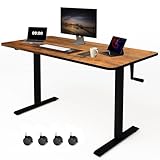
Overview: The Whole Piece Manual Standing Desk distinguishes itself with a seamless one-piece desktop and exceptional mobility features. This 48x24 inch workstation offers manual height adjustment from 28.3 to 46 inches, supporting an impressive 176lbs—highest among manual options reviewed. The integrated lockable casters transform it from stationary to mobile, enabling use with treadmills or balcony setups for versatile working environments.
What Makes It Stand Out: What truly sets this desk apart is its unified desktop surface, eliminating the gaps and assembly complexity of multi-piece tops. This creates a smoother writing experience and cleaner aesthetic. The included headphone hooks add practical storage, while the caster wheels provide unprecedented flexibility for dynamic workspaces. The foldable crank stores discreetly when not in use, maintaining a clean profile.
Value for Money: The value proposition is strong: you get premium features like seamless top, mobility, and highest weight capacity at a mid-tier price point. Competing desks with similar specs often cost 30-50% more, especially with caster upgrades. The power-free design eliminates electricity costs and placement constraints, while the one-piece top saves assembly time and frustration.
Strengths and Weaknesses: Strengths include the seamless one-piece top, robust 176lb capacity, lockable mobility, thoughtful accessories, and quiet manual operation. The industrial steel frame ensures stability. Weaknesses involve potential wobbling when extended on wheels, manual adjustment effort for frequent changes, and caster wheels that may damage soft flooring if not properly locked. The mobile design may compromise absolute stability compared to stationary feet.
Bottom Line: The ultimate manual standing desk for users prioritizing mobility and surface quality. Ideal for active workspaces requiring frequent repositioning or treadmill desk combinations where seamless functionality and high weight capacity are paramount.
9. OS Home and Office Furniture 47.25" Wood Adjustable Height Desk in Danish Walnut

Overview: The OS Home and Office Furniture Adjustable Height Desk brings traditional wood aesthetics to the ergonomic standing desk market. Featuring a Danish walnut paper laminate finish over 1-inch manufactured board, this desk offers mechanical crank adjustment from 27.75 to 47.5 inches. The melamine surface with durable edge banding provides a classic furniture appearance while delivering modern sit-stand functionality for health-conscious professionals.
What Makes It Stand Out: This desk stands out by rejecting the industrial aesthetic common to standing desks, instead offering a warm wood finish that blends seamlessly into traditional home offices. The mechanical crank system ensures reliability without electrical components, while the continuous height range accommodates users from 5'0" to 6'4". The paper laminate construction keeps weight manageable while convincingly mimicking real wood appearance at a fraction of the cost.
Value for Money: Value assessment reveals a mid-range price for wood-look furniture with ergonomic benefits. True solid wood adjustable desks cost 3-5x more, making this an accessible alternative for style-conscious buyers. However, laminate surfaces lack the longevity and repairability of genuine wood, potentially showing wear after 3-5 years of heavy use. The mechanical system offers durability that electric motors cannot match.
Strengths and Weaknesses: Strengths include attractive Danish walnut finish, excellent height range, mechanical reliability, and furniture-grade appearance suitable for living spaces. The one-inch thick top provides decent stability. Weaknesses involve laminate’s susceptibility to moisture and scratches, unspecified weight capacity likely below 100lbs, and smaller 47.25" width limiting multi-monitor setups. The paper laminate may peel if damaged, unlike solid surfaces.
Bottom Line: Perfect for home offices where traditional décor matters as much as ergonomics. Best suited for single-monitor users wanting wood aesthetics without premium pricing, and those who prioritize furniture appearance over maximum load capacity and surface durability.
10. Veken 55 Inch Large Electric Standing Desk,Sit to Stand Up, Heights Adjustable, Work Home Office Computer Table for Study, Walking Pad, Writing, and Games, Wooden Desktop Desks, White

Overview: The Veken 55 Inch Electric Standing Desk delivers premium motorized convenience for demanding home office environments. This electric desk adjusts effortlessly from 28.3 to 46.5 inches with multiple memory presets, accommodating seamless transitions between sitting and standing throughout the day. The 55-inch width provides expansive workspace, while integrated cable management maintains a clutter-free aesthetic essential for modern setups.
What Makes It Stand Out: What distinguishes this desk is its electric motorization with customizable height memory, eliminating manual cranking effort entirely. The preset function allows instant adjustment to preferred heights—ideal for shared workspaces or alternating frequently between positions. The cable management clip solves a common pain point of standing desks, keeping cords organized during height changes and preventing tangles that plague manual adjustments.
Value for Money: Value analysis shows competitive pricing for electric desks with memory functions, typically 20-30% less than premium brands like Uplift or Fully. You sacrifice the seamless one-piece top for a two-piece design, but gain motorized convenience and larger surface area at an accessible price point. The included cable management adds value often sold separately by competitors.
Strengths and Weaknesses: Strengths include effortless electric adjustment, memory presets, superior cable management, generous 55-inch surface, and clean white finish. The assembly benefits from pre-drilled holes and clear instructions. Weaknesses involve the two-piece desktop creating a slight seam that may collect debris, dependence on power outlets limiting placement, and potential motor noise during adjustment. Long-term motor reliability remains unproven compared to manual alternatives.
Bottom Line: The top choice for users prioritizing convenience and frequent height changes. Ideal for active workers wanting maximum workspace with minimal adjustment effort, and those who value programmable positions for multiple users or varied daily routines.
Why Manual Standing Desks Make Sense for Budget-Minded Buyers
The math is simple: manual standing desks typically cost 40-60% less than their electric siblings while delivering identical ergonomic benefits. You’re not paying for motors, control panels, or electronic components that can fail. Instead, your investment goes directly into the physical structure—steel frames, quality bearings, and durable desktops. For budget-conscious shoppers, this means accessing commercial-grade stability and height adjustability at residential prices. Plus, with no electricity required, you’re free to place your desk anywhere, from basement offices to sunroom workstations, without hunting for outlets or dealing with cable management nightmares.
Understanding Manual Height Adjustment Mechanisms
Before diving into features, you need to understand the three primary ways manual desks move up and down. Each system has distinct advantages, trade-offs, and ideal user profiles. Your choice here will impact everything from daily convenience to long-term durability.
Crank-Operated Systems: The Classic Approach
The hand-crank desk remains the most common manual option, and modern versions bear little resemblance to their clunky ancestors. Today’s crank systems use helical gears and sealed bearing cartridges that can raise a fully loaded desk in 30-40 turns, typically taking 15-20 seconds. Look for desks with removable cranks that store discreetly under the desktop—permanently attached cranks can be knee-knockers. The best budget models position the crank at the front edge for ergonomic access, not the side where you’ll strain your back. Crank desks reward users who adjust height 2-3 times daily, but might frustrate those who switch positions every hour.
Pneumatic Lift Columns: Smooth and Effortless
Pneumatic desks use gas-spring cylinders similar to office chair height controls, but scaled up for desk duty. A simple lever release lets you guide the desktop up or down with minimal effort—no cranking required. This mechanism excels for frequent height changes, making it perfect for hot-desking environments or users who alternate sitting and standing every 30 minutes. The catch? Pneumatic systems have fixed weight ratings, and exceeding them by even 10 pounds can cause sagging or failure. Budget pneumatic desks often use lower-grade seals that may lose pressure after 2-3 years of heavy use.
Counterbalance Systems: Leveraging Physics
The most elegant (and increasingly rare) manual mechanism uses adjustable counterweights that offset your desktop load. Think of it as a seesaw perfected by engineers. These systems offer the smoothest adjustment and longest lifespan—some commercial units last decades—but they’re highly sensitive to load changes. Add a second monitor, and you’ll need to recalibrate the counterbalance. Budget counterbalance desks typically appear in the $300-400 range, making them a middle-ground option between basic cranks and premium pneumatics.
Key Features That Define Quality in Budget Manual Desks
Price tags can be deceiving. A $250 desk might outlast a $400 model if you know which components matter most. Focus your attention on the frame’s steel gauge (look for 14-gauge or thicker), the glide system (nylon bushings beat plastic rollers), and the locking mechanism (multiple pin locks provide more security than single-point systems). The best budget desks also include adjustable leveling feet that accommodate uneven floors—a feature often missing on sub-$200 models.
Frame Construction: What to Look for Under the Hood
Flip the desk upside-down (metaphorically) and examine the frame architecture. Quality budget desks use C-channel or box-beam steel legs with welded gusset plates at stress points. Avoid desks with bolted-only connections at the leg-to-foot junction—these loosen over time and create wobble. The crossbeam design matters too: a center crossbeam provides superior lateral stability compared to end-mounted supports. Powder-coated finishes should feel textured, not smooth; a slightly rough surface indicates better adhesion and scratch resistance.
Desktop Materials: Balancing Cost and Durability
Budget desks typically offer four desktop options: laminated particleboard, MDF with thermoplastic laminate, bamboo veneer, and solid wood butcher block. Particleboard desks under $200 often use low-pressure laminate that peels at the edges within a year. Instead, hunt for medium-density fiberboard (MDF) with high-pressure laminate (HPL)—it resists moisture and impact far better. Bamboo desktops in the $250-350 range offer surprising durability and eco-credibility, while unfinished butcher blocks let you stain to match existing furniture, though they require sealing and add 30-40 pounds to the total weight.
Weight Capacity: Don’t Overlook This Critical Spec
Manufacturers love quoting impressive weight capacities, but the number you need depends on your setup. A dual-monitor arm (15 lbs), two 27" monitors (20 lbs total), a laptop (5 lbs), and miscellaneous items (10 lbs) already hit 50 pounds. Add a desktop PC under the desk (25 lbs) and you’re at 75 pounds. Budget manual desks typically rate 75-150 lbs, but here’s the insider tip: pneumatic desks perform best at 60-80% of their max rating, while crank desks handle 90-95% loads without strain. Always calculate your “forever setup” weight, then add 20% buffer for future upgrades.
Height Range: Finding Your Perfect Fit
The standard 28-48 inch range works for users 5'4" to 6'2", but budget shoppers often overlook this spec until assembly day. If you’re under 5'4", you’ll need a desk that drops to at least 25 inches for proper seated elbow height (keyboard at elbow level, wrists neutral). Taller folks over 6'2" should verify the desk reaches 50+ inches to avoid hunching while standing. Some budget models achieve extra range with optional caster wheels (adding 2-3 inches) or by removing the desktop from the frame during installation to gain an extra inch at the low end.
Stability and Wobble: The True Test of Design
Nothing screams “cheap desk” like a monitor that jiggles when you type. Stability depends on three factors: leg column overlap (more overlap = less wobble), base width (deeper feet prevent front-to-back sway), and connection rigidity (fewer bolted joints = better performance). The “wobble test” is simple: at full standing height, place your hand on the desktop and push side-to-side. Quality budget desks move less than 1/4 inch; anything over 1/2 inch will drive you mad. Pro tip: desks with feet that extend beyond the desktop depth (rather than flush) offer 30-40% better stability.
Assembly Reality Check: What You’re Really Getting Into
Budget manual desks ship flat-packed, and assembly time ranges from 45 minutes to 2.5 hours. The difference? Threaded inserts. Desks with pre-installed metal threaded inserts in the desktop let you drive screws with confidence, while those requiring you to screw directly into particleboard invite stripped holes and wobbly joints. Check reviews specifically mentioning “assembly” and “instructions.” The best budget brands include video QR codes in their manuals and label every hardware bag (A, B, C) corresponding to assembly steps. Avoid desks requiring proprietary tools—quality models use standard Allen keys and Phillips screws.
Space Planning: Measuring Your Office Sanctuary
Your desk footprint extends beyond the listed dimensions. Crank handles need 6-8 inches of clearance on the side (or front). Pneumatic levers require 3-4 inches of unobstructed space underneath. Don’t forget vertical clearance: at standing height, you’ll need at least 6 inches above the desktop for monitor stands and proper sightlines to your screen. For small apartments, consider desks with reversible frames that let you mount the crank on either side, adapting to your room layout. And always measure doorways and stairwells—some budget desks ship in boxes over 6 feet long.
Ergonomic Essentials Beyond the Desk Itself
A standing desk is just the foundation. Budget-conscious ergonomics means planning your complete setup. Monitor arms (starting at $30) free up desk space and enable proper screen height—your eyes should align with the top third of the monitor. Anti-fatigue mats ($25-40) reduce leg strain by 50% during standing sessions. Keyboard trays ($20-35) help achieve negative tilt, keeping wrists neutral. The beauty of manual desks? The money saved on the frame can fund these critical accessories that actually prevent pain and injury.
The Hidden Costs of “Too Cheap”
That $180 desk seems like a steal until you factor in replacement costs. Sub-$200 desks often skimp on powder coating, leading to rust within 18 months in humid climates. Cheap nylon gears in crank systems can strip after 500 adjustments (about one year of use for a frequent adjuster). Weak desktops sag under monitor weight, creating an uneven surface that strains your wrists. The real cost of a budget desk isn’t the purchase price—it’s the price divided by years of service. A $300 desk lasting 8 years costs $37.50/year; a $150 desk replaced every 2 years costs $75/year.
Transitioning to a Standing Routine Without Breaking the Bank
Your new desk won’t magically fix your health—you need a sustainable routine. Start with 20 minutes standing per hour, using your phone’s timer. Budget-friendly transition tools include a kitchen timer (free), a used drafting stool ($30-50 on marketplace sites) for perching between full sitting and standing, and comfortable shoes you already own. The goal isn’t standing all day; it’s movement. Manual desks encourage this naturally—the few seconds of cranking or lever-pulling breaks up static postures better than pressing an electric button.
Maintenance and Longevity: Protecting Your Investment
Manual desks need minimal maintenance, but neglect kills them prematurely. Every six months, wipe down the inner leg columns with a dry microfiber cloth to remove abrasive dust. Apply a single drop of silicone lubricant to crank gear shafts annually—never use WD-40, which attracts grime. Check and tighten all bolts after the first month of use (they loosen from initial settling), then quarterly thereafter. For pneumatic desks, listen for hissing sounds indicating seal leaks; address these under warranty immediately. Store the crank handle in the same place every time—replacements cost $15-25 and are often model-specific.
Environmental Impact: The Green Side of Manual Desks
Budget-conscious often means environmentally conscious. Manual desks have a 40% smaller carbon footprint than electric models due to no motors, circuit boards, or electronic waste. Many budget manufacturers now use recycled steel frames and FSC-certified bamboo tops. The lack of phantom power draw (electric desks consume 0.5-2 watts in standby) saves about $3-5 annually in electricity—small, but symbolic. When your manual desk finally reaches end-of-life in 10+ years, it’s almost entirely recyclable metal and wood composite, unlike electric desks with their mixed-material electronics.
Warranty and Customer Support: Your Safety Net
A generous warranty signals manufacturer confidence. Budget manual desks should offer at least 3 years on the frame and 1 year on moving parts. Be wary of “lifetime” warranties on sub-$200 desks—the fine print often excludes normal wear or requires you to pay shipping costs exceeding the desk’s value. Test customer support before buying: email a question and see if you get a response within 24 hours. The best budget brands maintain YouTube channels with assembly videos and maintenance guides, showing they stand behind their products beyond the sale.
Frequently Asked Questions
1. How much should I realistically budget for a quality manual standing desk that will last?
Plan to spend $250-400 for a desk that balances durability, stability, and features. At this price point, you’ll get steel frames with proper welding, high-pressure laminate tops, and reliable adjustment mechanisms. Desks under $200 often cut critical corners in steel gauge and gear quality, while those over $400 typically include features that don’t add functional value for most users.
2. Are manual standing desks difficult to adjust multiple times per day?
Modern crank desks require 30-40 turns and about 15-20 seconds to transition—less effort than brewing coffee. Pneumatic desks adjust even faster, in about 5 seconds. The physical act of adjusting can actually be beneficial, encouraging you to move more throughout the day. Most users adapt within a week and don’t find it burdensome.
3. What’s the weight difference between manual and electric standing desks?
Manual desks are typically 20-30 pounds lighter due to the absence of motors and control boxes. A typical 60-inch manual desk weighs 85-100 pounds, while an equivalent electric model weighs 110-130 pounds. This makes manual desks easier to move during room reconfigurations and reduces shipping costs.
4. Can I add casters to a manual standing desk for mobility?
Yes, but verify the frame includes caster mounting holes before purchasing. Quality casters add 2-3 inches to the desk’s minimum and maximum height, which can be problematic for shorter users. Locking casters are essential for stability when working. Budget caster sets cost $20-30 but ensure they’re rated for the desk’s total weight capacity.
5. Will a manual desk’s height drift down under heavy loads?
Properly designed crank desks use self-locking worm gears that prevent downward drift, even at maximum weight capacity. Pneumatic desks rely on pressure seals and locking levers, which should hold firm if you’re within the recommended weight range. If you notice sagging, it’s a defect—contact warranty support immediately.
6. How do I know if a desktop’s laminate quality is good enough?
Check the edge banding—quality laminate uses 3mm PVC edge banding that feels slightly rounded and seamless. Cheap laminate has sharp, thin edges that peel. Tap the desktop surface; high-pressure laminate sounds solid and dense, while low-pressure versions have a hollow ring. Also look for a backing sheet on the underside to prevent moisture warping.
7. Is assembly a two-person job?
For desks over 50 inches wide, absolutely recruit a helper. The frame alone weighs 40-60 pounds, and aligning the desktop while securing bolts is nearly impossible solo. However, many users successfully assemble smaller 40-48 inch desks alone by using boxes to prop the frame during desktop attachment. Always clear a 6x8 foot assembly area.
8. Can I upgrade a manual desk to electric later?
Generally, no. The frame geometries and leg designs are fundamentally different. Some premium manual frames have retrofit kits, but these cost nearly as much as a new electric desk. If you think you might want electric adjustment later, it’s more cost-effective to save for an extra month and buy electric initially.
9. What’s the environmental humidity range for manual desks?
Most manual desks handle 30-70% relative humidity without issues. Below 30%, solid wood tops may crack; above 70%, particleboard can swell. If you live in a humid climate, prioritize MDF with high-pressure laminate or bamboo. Avoid raw particleboard desktops unless your space is climate-controlled year-round.
10. Do manual standing desks qualify for employer wellness stipends?
Typically, yes. Most employer wellness programs cover any ANSI/BIFMA-certified standing desk regardless of power source. Manual desks often process faster through approval since they cost less. Check if your employer requires a doctor’s note for ergonomic equipment—many do, and this small step can turn your $300 desk into a $0 out-of-pocket expense.
See Also
- 10 Best Standing Desks for Dual Monitor Gaming Setups This Year
- Stop Sedentary Fatigue with the 10 Best Compact Standing Desks This Year
- Stop Back Pain with the 10 Best Height Adjustable Standing Desks This Year
- 10 Best Manual Standing Desks for Power-Outage Preparedness in 2026
- 10 Best Standing Desk Converters for Dual Monitors This Year