Table of Contents
Standing desks have revolutionized the modern workspace, promising better posture, increased energy, and a break from the sedentary shackles of traditional office life. But here’s the reality check nobody talks about: standing all day can be just as brutal as sitting all day. Your legs ache, your feet swell, and that initial burst of productivity slowly morphs into an endurance test. This is where the unsung hero of ergonomic workspaces enters—the drafting chair. Not quite a seat, not quite a stool, these height-adjusted wonders create a dynamic “perching” position that keeps your spine aligned while giving your lower body the relief it craves.
As we move deeper into 2026, the drafting chair market has evolved far beyond simple padded circles on a pole. Today’s models incorporate biomechanical research, smart materials, and even AI-driven posture feedback. Whether you’re a designer who needs to pivot between screens and physical drafts, a programmer alternating between sitting and standing sessions, or a healthcare professional in a fast-paced lab environment, understanding what makes a drafting chair exceptional is critical. This guide cuts through marketing fluff to focus on the features, ergonomics, and selection strategies that actually matter.
Top 10 Drafting Chairs
Detailed Product Reviews
1. Primy Drafting Chair Tall Office Chair with Flip-up Armrests Executive Ergonomic Computer Standing Desk Chair with Lumbar Support and Adjustable Footrest Ring (Black)
 Chair with Lumbar Support and Adjustable Footrest Ring (Black)](https://m.media-amazon.com/images/I/31qifS1PZSL._SL160_.jpg)
Overview: The Primy Drafting Chair is a versatile ergonomic solution designed for modern workspaces with standing desks, bar-height tables, or traditional desks. Its space-saving flip-up armrests and adjustable footrest ring make it adaptable to various settings, from home offices to creative studios. The chair combines breathable mesh materials with targeted lumbar support for extended comfort during long work sessions.
What Makes It Stand Out: The 90-degree flip-up armrest design is a standout feature, allowing the chair to tuck neatly under desks when not in use—perfect for compact spaces. The adjustable footrest ring moves with your feet, promoting circulation and reducing leg pressure. Combined with a curved backrest and dedicated lumbar support, this chair addresses the specific postural challenges of tall seating positions that standard office chairs ignore.
Value for Money: Positioned in the mid-range segment, this chair offers excellent value by bundling features typically found in premium models: ergonomic lumbar adjustment, breathable mesh construction, and space-saving design. Comparable chairs with similar adjustability often cost 20-30% more, making this a smart investment for remote workers seeking professional-grade comfort without the premium price tag.
Strengths and Weaknesses:
- Pros: Excellent breathability from mesh back; flip-up armrests save space; adjustable footrest enhances circulation; 360° mobility with stable five-claw base
- Cons: One-year warranty is relatively short; mesh material may stretch or fray with heavy use over 2+ years; assembly instructions could be clearer
Bottom Line: The Primy Drafting Chair is an excellent choice for home office users who need a versatile, space-conscious seating solution that transitions seamlessly between sitting and standing desk configurations.
2. Brick Attic Drafting Chair with Backrest – Adjustable Foot Rest Rolling Stool with Wheels, PU Leather Swivel Stool for Office Spa Studio Lab Counter Salon Home Work Bar Kitchen Shop(Black)

Overview: The Brick Attic Drafting Chair is a multi-purpose seating solution that bridges commercial and residential needs. With its removable PU leather backrest and 300-pound weight capacity, this chair adapts to diverse environments—from salon studios to kitchen counters. The 15.8-inch cushion and stable five-star base prioritize safety and comfort for varied body types.
What Makes It Stand Out: The detachable backrest sets this chair apart, transforming it from a task chair to a backless stool in seconds—ideal for tattoo artists or salon professionals who need flexibility. The 2mm thick base provides exceptional stability, while the height-adjustable footrest ring accommodates users from 5'2" to 6'2". The PU leather construction makes it uniquely suited for environments where easy cleaning is paramount.
Value for Money: This chair punches above its weight class in versatility. While priced competitively with mid-range drafting chairs, its commercial-grade durability and multi-scene adaptability make it more economical than buying separate chairs for different spaces. The robust construction suggests a longer lifespan than budget alternatives, offsetting the initial investment.
Strengths and Weaknesses:
- Pros: Removable backrest offers versatility; easy-to-clean PU leather; stable 300lb capacity; smooth silent casters; wide height adjustment range
- Cons: Leather lacks breathability for all-day use; smaller cushion may feel cramped for larger users; limited ergonomic adjustments compared to mesh chairs
Bottom Line: Perfect for commercial settings like salons, spas, or studios where durability, easy maintenance, and flexibility matter more than all-day breathability.
3. FINATI Drafting Chair, Tall Office Chair for Standing Desk, Ergonomic High Back with Headrest, Lumbar Support, Foot Ring and Flip-up Armrests, Black

Overview: The FINATI Drafting Chair is a premium ergonomic solution engineered for professionals who spend extended hours at elevated workstations. Supporting up to 300 pounds with its sturdy metal frame, this chair features a high backrest, adjustable headrest, and targeted lumbar support. The 8-inch seat height adjustment range makes it compatible with standing desks, drafting tables, and bar-height surfaces.
What Makes It Stand Out: The comprehensive spinal support system distinguishes this chair: a 22.8-inch high back, 2-inch adjustable lumbar support, and headrest with 3.15-inch height plus 45° tilt adjustment. This three-tier approach addresses neck, upper back, and lower back simultaneously. The lifetime support warranty demonstrates manufacturer confidence, while the flip-up armrests maintain space efficiency without compromising arm support when needed.
Value for Money: Though priced at the higher end of the mid-range market, the FINATI justifies its cost through premium materials, extensive adjustability, and exceptional warranty coverage. Comparable chairs with headrests and lifetime support typically retail for $100+ more, making this a strategic long-term investment for serious professionals.
Strengths and Weaknesses:
- Pros: Superior full-back and neck support; durable metal frame; generous height adjustments; lifetime support warranty; space-saving flip-up arms
- Cons: Premium price may exceed casual user budgets; assembly requires time and attention; headrest may feel intrusive for shorter users
Bottom Line: An outstanding investment for architects, designers, and programmers needing all-day ergonomic support at standing desks, backed by industry-leading warranty protection.
4. Drafting Chair Tall Office Chair with Padded Flip-up Armrests Executive Ergonomic Computer Standing Desk Chair with Comfortable Leather Backrest and Adjustable Footrest Ring (Black)

Overview: This drafting chair delivers executive-level comfort with its premium bonded leather construction and BIFMA-certified components. Designed for varied scenarios from standard desks to bar-height surfaces, it features a three-stage backrest system targeting neck, back, and tailbone separately. The double-layered cushion and adjustable footrest ring prioritize long-session comfort for professionals in design, drafting, or administrative roles.
What Makes It Stand Out: BIFMA certification across all components—including gas lift, base, and casters—ensures commercial-grade safety and durability standards rarely found in this price tier. The three-stage ergonomic backrest provides graduated support zones, while the premium leather resists stains, scratches, and peeling. This combination of certified reliability and executive aesthetics makes it suitable for both home offices and professional environments.
Value for Money: The BIFMA certification alone adds significant value, guaranteeing rigorous testing for durability and safety. While leather chairs typically command premium prices, this model competes with non-certified mesh chairs in the same range, offering superior longevity and easier maintenance. The double-layered cushion extends comfort life compared to single-density foams.
Strengths and Weaknesses:
- Pros: Comprehensive BIFMA certification; premium stain-resistant leather; three-stage backrest support; double-layered cushion durability; flip-up armrest versatility
- Cons: Leather can feel warm during extended use; generic branding limits support reputation; warranty details not prominently stated; heavier than mesh alternatives
Bottom Line: A safety-conscious choice for users who prioritize certified durability and classic leather aesthetics over maximum breathability, ideal for climate-controlled offices.
5. BOLISS Drafting Office Chair 400lbs High Back Wide Standing Desk Chair Comfortable with Flip up Armrests Lumbar Support Adjustable Big Footrest Ring(Black)

Overview: The BOLISS Drafting Chair is a heavy-duty ergonomic solution built to support users up to 400 pounds. This wide-seat chair features a high back with integrated headrest, adjustable lumbar cushion, and an oversized footrest ring for enhanced stability. The 4-inch thick molded foam cushion and breathable nylon mesh back provide durability and comfort for extended use in demanding work environments.
What Makes It Stand Out: The 400-pound weight capacity significantly exceeds standard drafting chairs, accommodating a broader user range without compromising stability. The oversized footrest ring provides superior leg support and reduces pressure points. The 3D-designed headrest with 2.36-inch height adjustment and the free-placed lumbar cushion offer customizable support that adapts to individual spinal curves—a feature rarely seen in heavy-duty seating.
Value for Money: In the heavy-duty category, this chair offers exceptional value. Most 400lb-capacity chairs with headrests and thick cushions exceed this price point by $150 or more. The two-year warranty and high-quality molded foam that resists deformation provide long-term cost savings over cheaper chairs that require frequent replacement.
Strengths and Weaknesses:
- Pros: Industry-leading 400lb weight capacity; exceptionally thick 4-inch cushion; oversized stable footrest; adjustable headrest and lumbar support; durable molded foam
- Cons: Bulkier design requires more space; may be oversized for smaller users under 5'6"; aesthetic is utilitarian rather than sleek; assembly is time-intensive
Bottom Line: The ideal solution for larger users or shared workspaces requiring robust, high-weight-capacity seating that doesn’t sacrifice ergonomic adjustability or long-term comfort.
6. BestOffice Drafting Chair Tall Office Chair Adjustable Swivel Rolling Mesh Height with Lumbar Support Arms Footrest Mid Back for Adults Standing Desk Drafting Stool(Black)

Overview: The BestOffice Drafting Chair is an entry-level solution for users transitioning to standing desks or requiring elevated seating. This mid-back chair combines fundamental ergonomic elements with straightforward functionality, targeting budget-conscious buyers who need basic adjustability without complexity. Its mesh construction and integrated foot ring address primary comfort concerns for elevated work positions.
What Makes It Stand Out: This chair’s primary distinction lies in its remarkable ease of assembly, requiring only 10-15 minutes with included tools. The human-oriented ergonomic construction emphasizes simplicity, featuring a thickly cushioned seat paired with breathable mesh back support. The 360-degree swivel and smooth-rolling nylon casters provide adequate mobility for most office environments, while the adjustable height mechanism accommodates various counter and drafting table heights.
Value for Money: Positioned in the budget tier, this chair delivers essential drafting chair functionality at an accessible price point. While it lacks premium materials and advanced features of higher-end models, it provides sufficient comfort for moderate daily use. The manufacturer’s satisfaction guarantee offers additional purchase confidence, making it a low-risk investment for first-time drafting chair users or home office setups with intermittent usage.
Strengths and Weaknesses: Strengths include exceptionally quick assembly, lightweight maneuverability, breathable mesh back, and wallet-friendly pricing. The thick seat cushioning exceeds expectations for this price tier. Weaknesses involve the mid-back design limiting upper back support, unspecified weight capacity suggesting lower durability, and basic nylon components that may wear faster under heavy use. The lumbar support, while present, offers minimal adjustability compared to premium alternatives.
Bottom Line: Ideal for casual users, home offices, or budget-restricted environments, this chair fulfills basic drafting needs without frills. It’s best suited for part-time standing desk users rather than professionals requiring all-day ergonomic support.
7. Drafting Chair, Tall Office Chair for Standing Desk, Ergonomic Standing Desk Chair with Flip-up Armrests, Counter Height Office Chair with Footrest and Adjustable Lumbar Support

Overview: This drafting chair represents a significant step-up in ergonomic design for standing desk users, offering professional-grade features typically found in premium office seating. Engineered for extended use, it combines advanced lumbar support with exceptional adjustability, making it suitable for architects, designers, and professionals spending long hours at elevated workstations.
What Makes It Stand Out: The standout feature is the industry-leading 21.65-inch widened footrest ring—20% larger than competitors—providing superior leg support and encouraging healthy movement. The chair offers an impressive 8-inch height adjustment range (21.85" to 29.72"), accommodating users from standard to standing desk heights. High-density double-layer mesh with 2.6-inch thick foam cushioning delivers breathability and lasting comfort, while the Class 4 gas cylinder ensures durability.
Value for Money: Though priced in the mid-to-high range, the robust feature set justifies the investment. The 300-pound weight capacity, BIFMA certification, and upgraded components promise longevity that cheaper alternatives cannot match. For professionals requiring daily, intensive use, the cost-per-use ratio makes this a financially sound choice compared to replacing budget chairs annually.
Strengths and Weaknesses: Strengths include the extra-wide footrest, high weight capacity, flip-up armrests with padding, extensive height range, and dual-layer mesh durability. The adjustable lumbar support provides genuine customization. Weaknesses include a higher price point that may deter casual users, and the extensive features could be unnecessary for intermittent home use. Assembly may require more time than simpler models.
Bottom Line: A top-tier choice for dedicated standing desk users seeking all-day comfort and durability. The investment pays dividends in ergonomic support and product longevity, making it ideal for professional environments.
8. Ergonomic Drafting Chair, Tall Office Chair with Flip-up Armrests, Breathable Mesh High Desk Chair with Lumbar Support Adjustable Footrest Ring for Standing Desk Black

Overview: This ergonomic drafting chair bridges the gap between specialized drafting stools and traditional office chairs, offering versatile functionality for dynamic work environments. Designed for professionals who alternate between standard and elevated work surfaces, it provides comprehensive adjustability in a streamlined package suitable for both design studios and conventional offices.
What Makes It Stand Out: The innovative pentagon base design enhances stability beyond traditional five-star bases, reducing wobble at maximum height extension. The repositionable footrest ring allows users to customize leg support position, a feature rarely found in this price category. With 3-inch high-density foam cushioning and wear-resistant 3D mesh back, the chair maintains comfort during intensive work sessions while promoting airflow.
Value for Money: This chair competes strongly in the mid-range segment, offering premium features like the pentagon base and repositionable footrest at a competitive price. The durable metal frame construction and floor-protecting PU casters indicate thoughtful engineering that extends product lifespan. For users needing dual-height functionality without purchasing two separate chairs, this represents excellent economic value.
Strengths and Weaknesses: Strengths include superior stability from the pentagon base, customizable footrest positioning, breathable 3D mesh, and smooth, quiet casters. The flip-up armrests enhance versatility. Weaknesses include an unspecified weight capacity that may concern larger users, and the maximum 9-inch height adjustment range may not suit all standing desk configurations. The minimalist aesthetic might not appeal to traditional office environments.
Bottom Line: An excellent hybrid solution for users seeking one chair for multiple desk heights. Its stability and customization features make it particularly suitable for design professionals and flexible workspace arrangements.
9. Kensaker Tall Drafting Chair with Footrest Ring for Home and Work, Ergonomic Home Desk Office Chair with Flip up Arms and Lumbar Support, Extended Height Executive Desk Office(Black)

Overview: The Kensaker Tall Drafting Chair distinguishes itself through minimalist design philosophy combined with functional ergonomics. This chair targets style-conscious professionals who refuse to compromise on support, offering a sleek aesthetic that complements modern workspaces while delivering essential drafting chair capabilities for home and office applications.
What Makes It Stand Out: The X-shaped frame backrest design provides targeted spinal support that mimics natural back curvature, a unique approach in the drafting chair market. The tilt lock function adds recline capability rarely available in drafting stools, enhancing versatility. With 90-degree flip-up armrests and a minimalist waist support panel offering 2 inches of adjustment, the chair balances simplicity with customization.
Value for Money: Positioned in the mid-range, this chair offers distinctive design elements and functional features that justify its price. The breathable polyester mesh and high-resilience sponge provide durability comparable to higher-priced competitors. While assembly takes slightly longer (15-20 minutes), the resulting stability and comfort deliver solid long-term value for users prioritizing both aesthetics and ergonomics.
Strengths and Weaknesses: Strengths include the stylish X-frame backrest, tilt lock functionality, breathable mesh construction, and space-saving flip-up arms. The minimalist design suits contemporary interiors. Weaknesses include a longer assembly time than some competitors and the minimalist lumbar support may feel insufficient for users requiring intensive back therapy. The round footrest lacks the width advantage of premium models.
Bottom Line: Perfect for design-conscious users seeking a drafting chair that performs well while enhancing workspace aesthetics. The tilt lock feature makes it uniquely versatile for both work and brief relaxation.
10. BestOffice Drafting Chair Ergonomic Tall Office Chair Standing Desk Chair with Flip Up Arms Foot Rest Back Support Adjustable Height Mesh Drafting Stool, Black
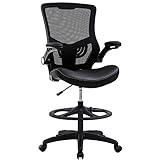
Overview: This BestOffice drafting chair variant caters to users preferring traditional upholstery over mesh construction. While sharing the brand’s signature easy-assembly approach, it substitutes a PU leather seat for mesh, offering a different tactile experience and aesthetic appeal. The chair maintains core drafting functionality with added lumbar support and flip-up armrests for standing desk compatibility.
What Makes It Stand Out: The PU leather seat covering provides a premium appearance and easier cleaning compared to mesh alternatives, making it suitable for environments where spills are a concern. The adjustable lumbar support offers vertical customization, while flip-up armrests enable seamless desk transitions. The BIFMA-certified components and heavy-duty nylon base ensure safety standards are met, though the 250-pound capacity trails some competitors.
Value for Money: This chair occupies the budget-friendly segment with modest upgrades over basic models. The PU leather surface adds perceived value without significantly increasing cost, making it attractive for users wanting leather aesthetics on a budget. However, the weight capacity limitation and potential breathability issues of PU leather versus mesh may reduce long-term comfort for some users.
Strengths and Weaknesses: Strengths include effortless 15-minute assembly, easy-to-clean PU leather, adjustable lumbar support, and BIFMA certification. The high-density sponge cushion provides adequate comfort. Weaknesses include lower weight capacity, reduced breathability compared to mesh models, and basic nylon construction that may show wear over time. The leather may not suit hot climates or extended sitting.
Bottom Line: A solid budget choice for users prioritizing easy maintenance and classic leather appearance over maximum breathability. Best suited for climate-controlled environments and users under the weight limit seeking straightforward drafting functionality.
Why Drafting Chairs Are Essential for Standing Desk Setups
The Ergonomic Bridge Between Sitting and Standing
Drafting chairs occupy a unique space in the ergonomic ecosystem. Unlike traditional office chairs that keep you planted at 18-22 inches from the ground, drafting chairs typically adjust from 25 to 35 inches high, creating a semi-standing position that maintains a 135-degree hip angle. This “perch” position reduces intervertebral disc pressure by up to 50% compared to conventional 90-degree sitting while engaging your core muscles just enough to prevent the stiffness associated with static standing. The key is the footrest ring—a feature that seems simple but fundamentally changes weight distribution, allowing you to shift between legs and maintain circulation without compromising spinal alignment.
Health Benefits of Perching and Active Sitting
Research from occupational health journals published in late 2025 reveals that workers using height-adjustable drafting chairs report 34% fewer instances of lower back pain and 28% less leg fatigue compared to those using static standing desks alone. The dynamic nature of perching encourages micro-movements—subtle weight shifts, foot adjustments, and core engagement—that keep blood flowing and prevent the muscular atrophy that comes with either extreme. This active sitting approach also boosts cognitive function; the slight muscle engagement required for balance increases cerebral blood flow, leading to improved focus during complex tasks. For anyone concerned about metabolic health, perching burns approximately 20% more calories than traditional sitting without the joint stress of prolonged standing.
Key Features to Evaluate in 2026 Drafting Chairs
Height Adjustability and Cylinder Range
The cylinder is the heart of any drafting chair, and 2026 models have pushed boundaries with dual-stage pneumatic lifts that offer seamless transitions from 24 to 40 inches. Look for chairs with a minimum height that aligns with your standing desk’s lowest setting and a maximum height that lets you perch comfortably without hunching. The best cylinders now include anti-corrosion coatings and temperature-compensated pressure valves that maintain consistent lift speed whether your office is a chilly 65°F or a warm 78°F. Pay attention to the adjustment mechanism—premium models feature lever-activated infinite locking positions rather than preset notches, giving you precise control over your perch height.
Footrest Design and Stability
A drafting chair without a proper footrest is just a tall office chair missing the point entirely. Modern footrests have evolved from simple metal rings to adjustable, contoured platforms with non-slip surfaces and 360-degree rotation. The most advanced designs feature telescoping height adjustment independent of the seat, allowing you to fine-tune the distance between seat and footrest based on your leg length. Stability matters too—look for footrests welded to a reinforced base rather than screwed-on attachments, as these withstand the constant pressure shifts of active sitting without wobbling. The diameter should be proportionate to the base; too small and you’ll feel cramped, too large and you’ll struggle to find comfortable foot positions.
Lumbar Support Systems
Even in a perching position, lumbar support remains non-negotiable. 2026 drafting chairs incorporate dynamic lumbar systems that automatically adjust to your spine’s curvature as you shift weight. These aren’t the static plastic bulges of old—they’re responsive mechanisms using tensioned mesh or articulated padding that moves with you. The sweet spot for lumbar height is 6-10 inches above the seat pan, but adjustable systems let you customize this based on your torso length. Some cutting-edge models feature pneumatic lumbar support you can inflate or deflate throughout the day, adapting to fatigue levels and task demands.
Seat Material and Breathability
Your seat material directly impacts comfort during long perching sessions. Traditional foam padding compresses over time, creating pressure points. 2026’s best options use multi-density memory foam with gel-infused top layers or 3D-knitted mesh that distributes weight while allowing airflow. Mesh seats excel in warmer climates or for users prone to sweating, while foam provides more cushioned support for bony sit bones. The seat pan shape matters too—a waterfall edge that slopes downward reduces pressure on the backs of your thighs, preventing numbness and encouraging healthy circulation. Avoid flat seats; contoured designs that mirror your pelvic structure maintain comfort for hours.
Mobility vs. Stability: Casters and Base Design
Drafting chairs face a fundamental dilemma: you need to move easily between desk zones, but you also need rock-solid stability when perched at maximum height. The solution in 2026 is the hybrid caster system—soft polyurethane wheels that lock automatically when weight is applied, then release for smooth gliding when you stand. Base design has also evolved; five-star aluminum bases remain standard, but the best models feature reinforced tri-spoke designs that distribute weight more effectively. Look for bases with a 28-32 inch diameter footprint—any narrower and you risk tipping during aggressive movements, any wider and you’ll be kicking the base constantly.
Understanding Different Drafting Chair Categories
Traditional Drafting Stools
These are the classic, backless stools you picture in architectural firms. They prioritize freedom of movement and a minimal footprint, making them ideal for tight spaces where you need to spin between drafting tables and adjacent workstations. The lack of backrest forces perfect posture—there’s nothing to slouch against—but they demand stronger core muscles and aren’t suitable for users with existing back issues. Modern versions include height-adjustable footrings and slightly contoured seats, but they remain true to the minimalist philosophy.
Active Perching Stools
Pioneered by ergonomic researchers, active perching stools feature a tilted seat pan that angles forward 15-20 degrees. This design maintains your pelvis in a neutral position, preventing the posterior pelvic tilt that causes lower back rounding. The unstable base—often a convex dome or flexible column—requires constant micro-adjustments, turning sitting into a low-level workout. These excel for users who want maximum engagement and have already developed decent core strength, but they can be tiring during intense concentration periods.
Saddle Seats and Their Unique Benefits
Saddle seats split the seat pan into two cushions, mimicking a horse’s saddle. This design spreads your weight across your sit bones and thighs while keeping your hips in a naturally abducted position. The result? Dramatically reduced spinal compression and improved breathing—your diaphragm has more room to expand. They’re particularly beneficial for users with sciatica or hip impingement issues, though the wide stance feels unusual initially and requires a week-long adjustment period.
Full-Back Drafting Chairs
These combine the height range of drafting stools with the support of executive chairs, featuring full backrests and often headrests. They’re perfect for users transitioning from injury or those who need substantial support during focused work. The trade-off is reduced mobility—you can’t twist and reach as freely—but the ergonomic security they provide is unmatched. Look for models with synchronized tilt mechanisms that keep the backrest angle proportional to the seat as you lean.
Hybrid Standing Desk Chairs
The newest category blurs lines entirely—these are essentially leaning supports rather than true chairs. You rest against them at a 30-degree angle, taking about 60% of your weight off your feet while maintaining a near-standing posture. They’re ideal for users who only sit for 10-15% of their day but need occasional relief. The footprint is minimal, but they offer no traditional seating surface, which limits their versatility.
Matching Your Chair to Your Work Style
For Designers and Architects
Your work involves constant pivoting between digital screens, physical drawings, and reference materials spread across a large desk. You need a drafting chair with a 360-degree swivel that feels effortless, a seat that supports quick lateral movements, and a footrest positioned for frequent standing-sitting transitions. Consider active perching stools or traditional drafting stools with minimal backrests that won’t obstruct your reaching motions. The ability to roll smoothly across large floor plans is crucial—opt for larger, furniture-safe casters.
For Programmers and Data Analysts
Your sessions are intense and focused, often lasting hours as you dive deep into code or datasets. While you value standing breaks, you need substantial support during concentration periods. Full-back drafting chairs with adjustable armrests and robust lumbar systems are your best bet. The armrests should be height-adjustable to support your elbows during typing, and the seat should have enough cushion to prevent discomfort during all-day coding marathons. Prioritize chairs with tension-adjustable tilt mechanisms that let you recline slightly during thinking periods.
For Creative Professionals and Artists
Whether you’re illustrating, video editing, or 3D modeling, your workspace is dynamic. You might be leaning close to a tablet one moment and sitting back to critique color balance the next. Saddle seats or active perching stools give you the mobility to shift positions constantly while maintaining creative flow. The key is a chair that becomes invisible—no awkward adjustments, no pressure points pulling you out of the zone. Look for breathable materials since creative work can be physically intense, and prioritize footrests that accommodate various leg positions.
For Healthcare and Laboratory Workers
In clinical or lab settings, hygiene and quick mobility are paramount. You need drafting chairs with antimicrobial upholstery, sealed seams that resist fluid penetration, and bases that can be sterilized. The height range should accommodate both standard counters and elevated equipment stations. Traditional drafting stools with minimal crevices where bacteria can hide are often best, but make sure they have easy-clean footrests and chemical-resistant coatings. Stability is critical—you can’t afford a tip-over near sensitive equipment.
2026 Trends in Drafting Chair Innovation
Smart Features and Connectivity
The integration of IoT technology has transformed premium drafting chairs into wellness devices. Embedded pressure sensors now track your sitting patterns, sending gentle vibrations to your phone when you’ve been static too long. Some models sync with your standing desk, automatically adjusting height based on your calendar—perching during video calls, full height during focused work. While these features sound gimmicky, early adoption data shows they increase position changes by 40%, significantly reducing fatigue. The key is choosing chairs where smart features enhance rather than complicate the core experience.
Sustainable Materials and Manufacturing
Environmental consciousness has moved from marketing bullet point to design imperative. 2026’s leading manufacturers use recycled ocean plastics for base components, bio-based polyurethane foam derived from algae, and powder-coated finishes that eliminate VOC emissions. Look for certifications like Cradle to Cradle Gold or BIFMA level 3, which verify sustainable sourcing and end-of-life recyclability. These materials don’t compromise durability—many recycled components show 15% better impact resistance than virgin plastics.
Advanced Ergonomic Mechanisms
The latest breakthrough is the dynamic counterbalance system, which uses your body weight to automatically adjust resistance throughout the day. As you fatigue and your posture changes, the chair responds by providing more support precisely where needed. Some models feature segmented seat pans where each side adjusts independently, accommodating users with leg length discrepancies or hip injuries. The mechanism sophistication means smoother, more intuitive adjustments that feel natural rather than mechanical.
Proper Setup and Adjustment Techniques
Even the best drafting chair becomes a liability if improperly configured. Start by setting your desk height first—your elbows should be at 90 degrees when typing. Then adjust your chair so the seat is 8-12 inches below your standing elbow height, creating that optimal perching angle. The footrest should support the balls of your feet, not your heels, allowing subtle rocking motions. Position the lumbar support so it fits into the natural curve of your lower back; if you can slide more than two fingers between the support and your spine, it’s too far back. Finally, test the tilt tension—you should be able to recline with gentle pressure but feel stable when sitting upright.
Maintenance and Longevity Tips
A quality drafting chair is an investment that should last 7-10 years. Extend its lifespan by cleaning the cylinder monthly with a dry cloth to prevent dust buildup that can scratch the seal. Tighten all bolts and screws every six months—vibration from movement gradually loosens them. For mesh seats, vacuum weekly using a brush attachment to prevent dust from abrading the fibers. If your chair develops squeaks, apply silicone-based lubricant (never oil-based, which attracts dirt) to moving joints. Rotate the chair 180 degrees every few months to ensure even wear on casters and the base. Finally, keep it away from direct sunlight; UV rays degrade pneumatic seals and fade upholstery.
Budget Considerations and Value Analysis
Drafting chairs range from $150 budget models to $1,200+ premium options. The sweet spot for most professionals lies between $400-$600, where you get durable cylinders, adjustable footrests, and adequate lumbar support without smart features you may not need. Budget chairs under $300 often use single-stage cylinders that wear out in 2-3 years and lack proper weight distribution in the seat pan. Conversely, chairs over $800 offer diminishing returns unless you specifically need smart connectivity or have complex ergonomic requirements from injury. Consider total cost of ownership—a $500 chair lasting 8 years costs $62 annually, while replacing a $150 chair every two years costs $75 annually plus the hassle of shopping and assembly.
Frequently Asked Questions
What’s the ideal height range for a drafting chair used with a standing desk?
For most users with desks adjusting from 28-48 inches, look for drafting chairs offering seat heights from 25-35 inches. This range lets you perch comfortably at any desk setting while maintaining proper elbow alignment. If you’re over 6’3" or have an extra-tall desk, consider extended-height models reaching 40+ inches.
How do I know if I need a drafting stool or a full-back drafting chair?
Choose a stool if you have strong core muscles, work in a mobile environment requiring frequent reaching, and prefer freedom of movement. Opt for a full-back chair if you have existing back pain, work on focused tasks for extended periods, or are transitioning from injury. When in doubt, full-back models offer more versatility.
Can drafting chairs really help with sciatica and hip pain?
Yes, when properly configured. The open hip angle reduces pressure on the sciatic nerve, while saddle seats specifically can relieve hip impingement. The key is ensuring the footrest supports proper weight distribution so you’re not placing excessive pressure on any single point. Consult a physical therapist for personalized setup advice.
Are smart features worth the extra cost in 2026?
For most users, no. While posture tracking and automatic adjustments sound appealing, they add $200-400 to the price and require app maintenance. The exception is if you’re recovering from injury or have a diagnosed musculoskeletal condition where data tracking helps your healthcare provider monitor progress.
How long should I perch in a drafting chair before standing again?
Follow the 30-30-30 rule: 30 minutes standing, 30 minutes perching, 30 minutes of movement (walking, stretching). This cycle prevents fatigue in any single position. Smart chairs can remind you, but a simple phone timer works just as effectively.
What’s the weight capacity I should look for?
Standard drafting chairs support 250-300 pounds. If you’re over 250 pounds, explicitly look for heavy-duty models rated for 350-400 pounds—these feature reinforced cylinders and wider bases. Exceeding weight ratings dramatically accelerates wear and creates safety risks.
Can I use a drafting chair on carpet?
Yes, but you need hard wheel casters designed for carpeted surfaces. Standard hard plastic wheels sink and create drag. Look for chairs with 3-inch diameter wheels minimum, and consider a clear plastic floor mat to reduce carpet compression and improve rollability.
How do I clean and disinfect a drafting chair in a shared workspace?
Use EPA-approved disinfectant wipes safe for upholstery—avoid bleach which degrades fabrics. For mesh seats, spray disinfectant on a cloth first, never directly on the mesh. Clean the footrest daily in high-touch environments. Let the chair air dry completely before use to prevent moisture buildup in the cylinder housing.
Will a drafting chair work with a treadmill desk?
Not directly—you can’t perch while walking. However, a lightweight active stool can be positioned beside your treadmill, letting you step off and perch during breaks without lowering the desk. This hybrid approach works well for users who primarily walk but need occasional static support.
What’s the difference between a drafting chair and a standing desk chair?
Drafting chairs have traditional seats and support sitting or perching. Standing desk chairs (leaning stools) are torso supports that reduce standing fatigue without offering a true sitting surface. Drafting chairs are more versatile—you can use them at standard desks when needed—while leaning stools are highly specialized for near-standing positions.
See Also
- 10 Best Drafting Chairs for Standing Desks That End Neck Pain in 2026
- The 10 Ultimate Best Drafting Chairs for Standing Desks in 2026
- 10 Drafting Office Chairs for Standing Desks in 2026
- Top 10 Best Mesh Office Chairs for Hot Desks and Marathon Meetings in 2026
- 10 Best Armless Office Chairs for Small Desks in 2026